Bronze
The family calendar, lists, chores and your first carpool.
Free
Forever, no ads
- Children1
- Adults2
- Sharing circle4 people
- Carpools1
- AI actions—
Calendar, lists, chores, widgets
Co-parent schedule and messages
MyRallyHub is one app for the whole family: the calendar, the shopping list, the chores, the carpool and the co-parenting. Everyone sees the same plan, so nobody has to be the family switchboard.
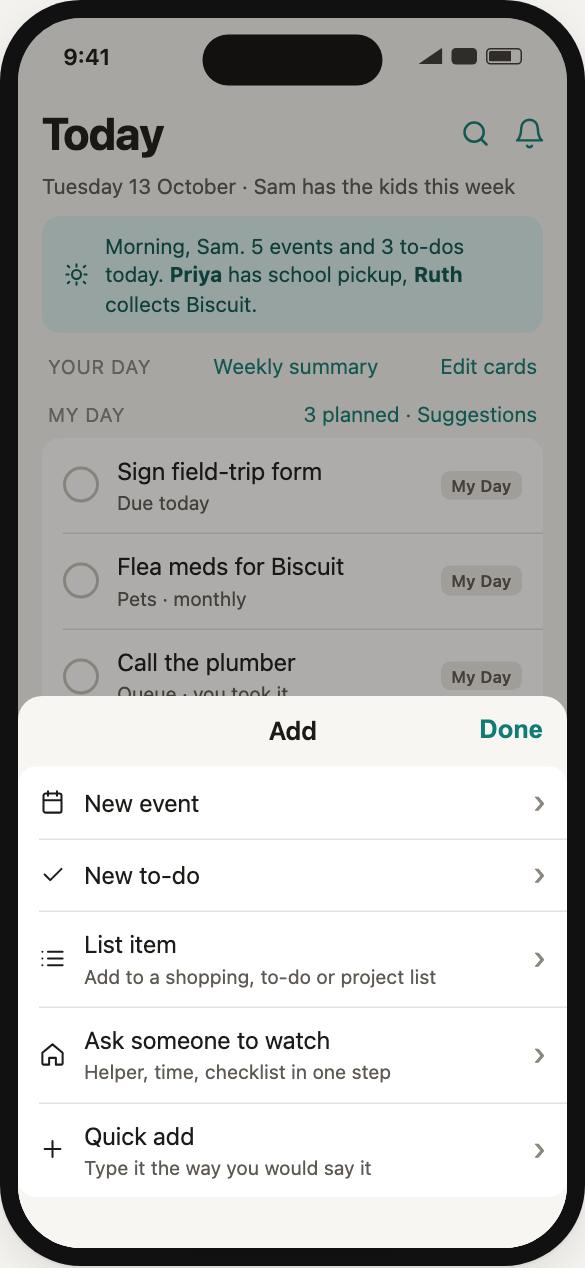
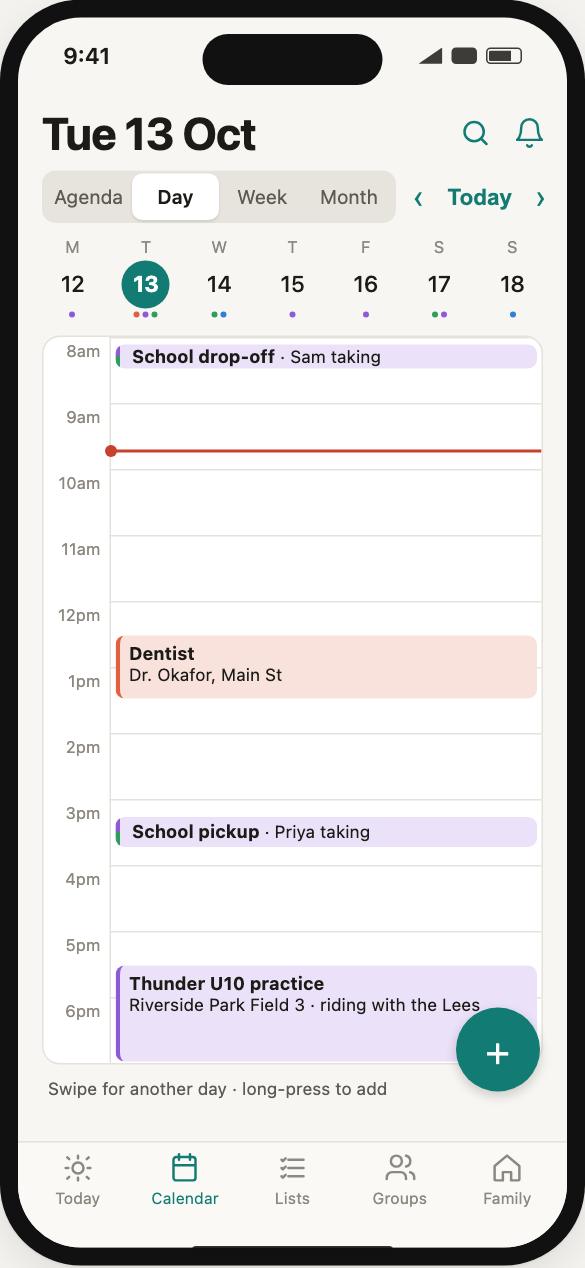
Every person has a colour, so a glance tells you whose evening is busy. Today shows what's on, who's taking each child, and when you need to leave.
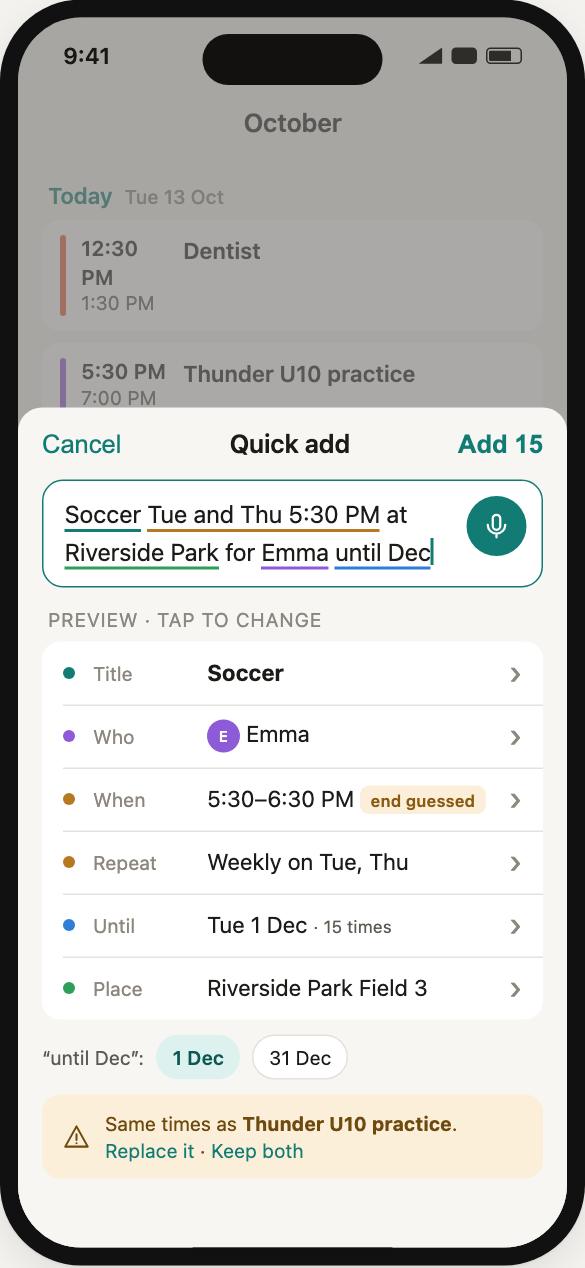
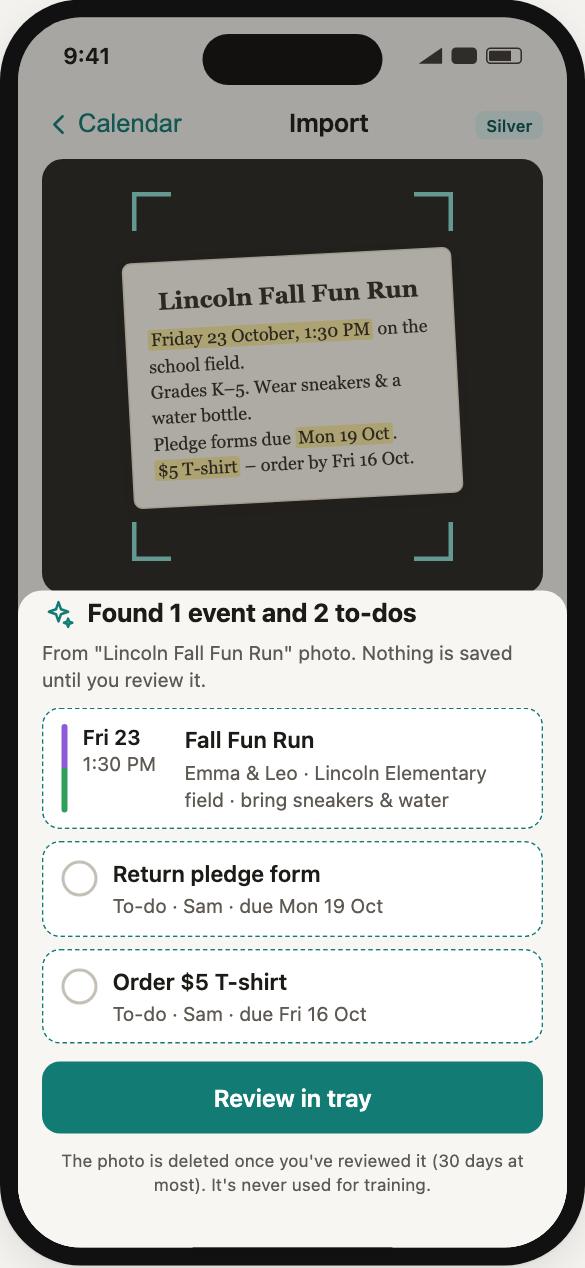
Write "Soccer Tue and Thu 5:30 PM at Riverside Park" and it's on the calendar. Forward the team email or snap the school flyer, and MyRallyHub pulls out the dates for you to check.
Make as many lists as you need and set them up your way: Home and Work, Groceries and the Costco run, one list per class, or one for the science-fair project. Then stop doing it all yourself. Assign a to-do to the person who should do it, and watch it get ticked off.
The family's to-do list usually lives in one parent's head. Shared lists you can hand out mean everyone can see what needs doing, and who's doing it.
Create, rename, recolour and reorder lists. Give each one an owner and a day ("Sam · Saturday"), and archive it when the term or project is over.
Free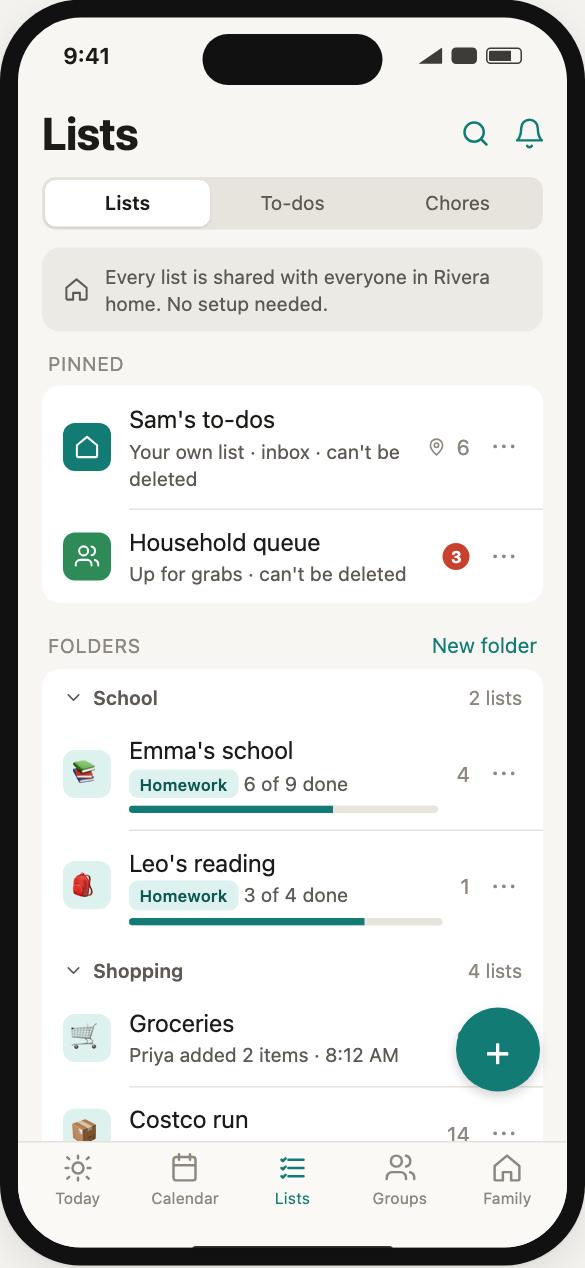
Give a to-do to anyone in the house. They get "Sam assigned you 'Sign field-trip form' · due Fri", with the due date, a reminder, the place and any attachment.
Free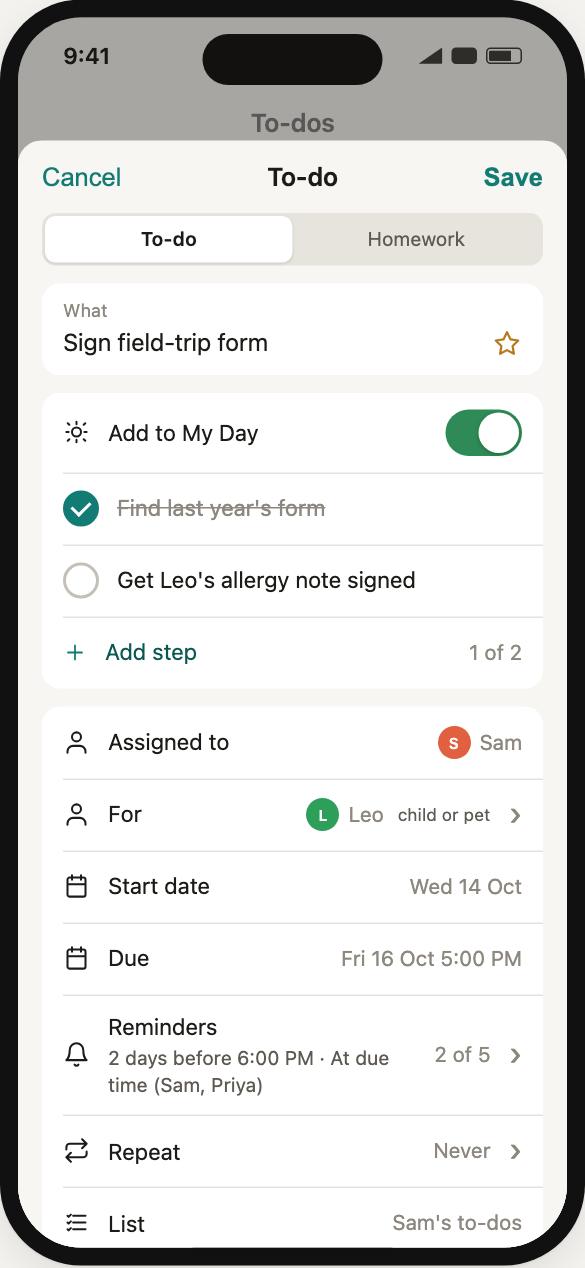
Tick it off and it's done on everyone's phone, with who did it. Overdue items rise to the top. Repeat a to-do every week, or "3 days after it's done".
Free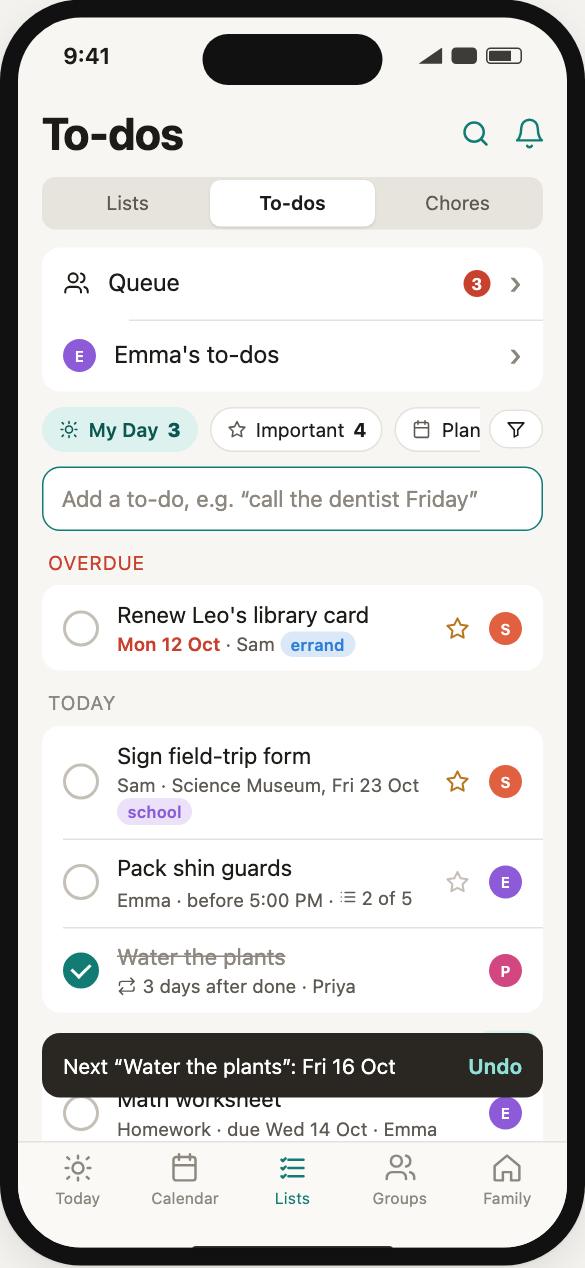
Running the group project or the class party with other parents? Share just that list with them through a circle, and assign them to-dos. They don't see anything else.
Free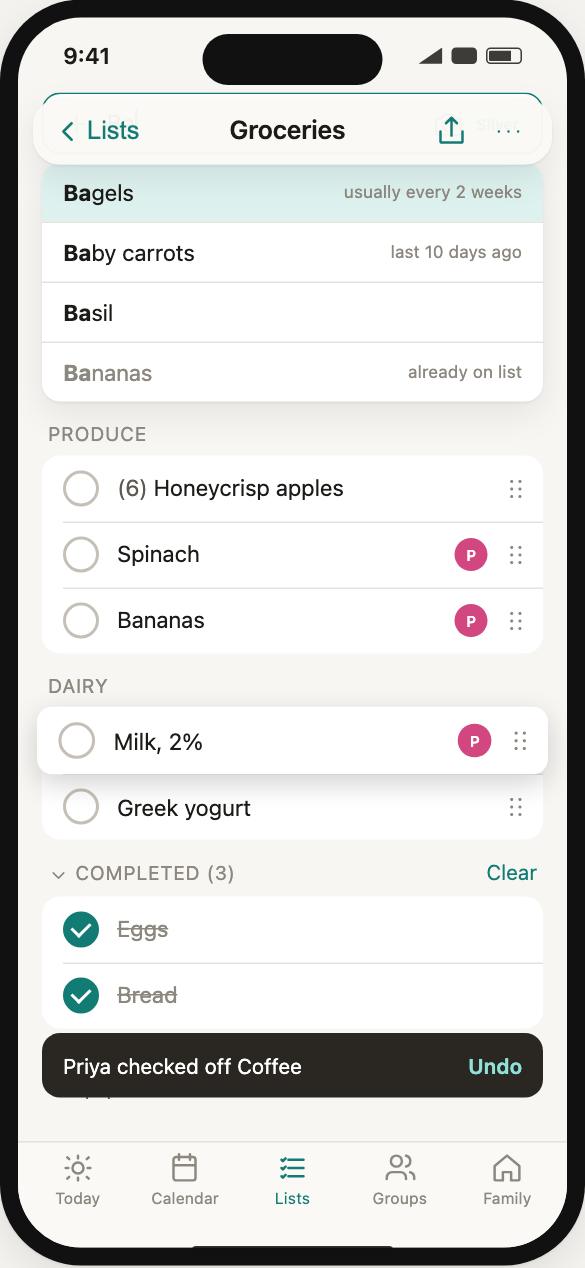
Produce, dairy, frozen: items sort themselves and show who added what. It works with no signal in the store, and ticked items vanish from everyone's list.
FreeA school list for each child. Exams count down with "study 10 min today" reminders for five days before. Kids see it in their own view and can ask to add things for you to approve.
FreeChores and routines earn points. Points buy rewards you choose, like picking Friday's movie or a later bedtime. Kids can see their points grow and save up for something bigger. It's motivation without the nagging, and it's all free.
Points are just points, never real money. You decide what each job is worth and what the rewards cost. Kids compete with their own streak, never with other families.
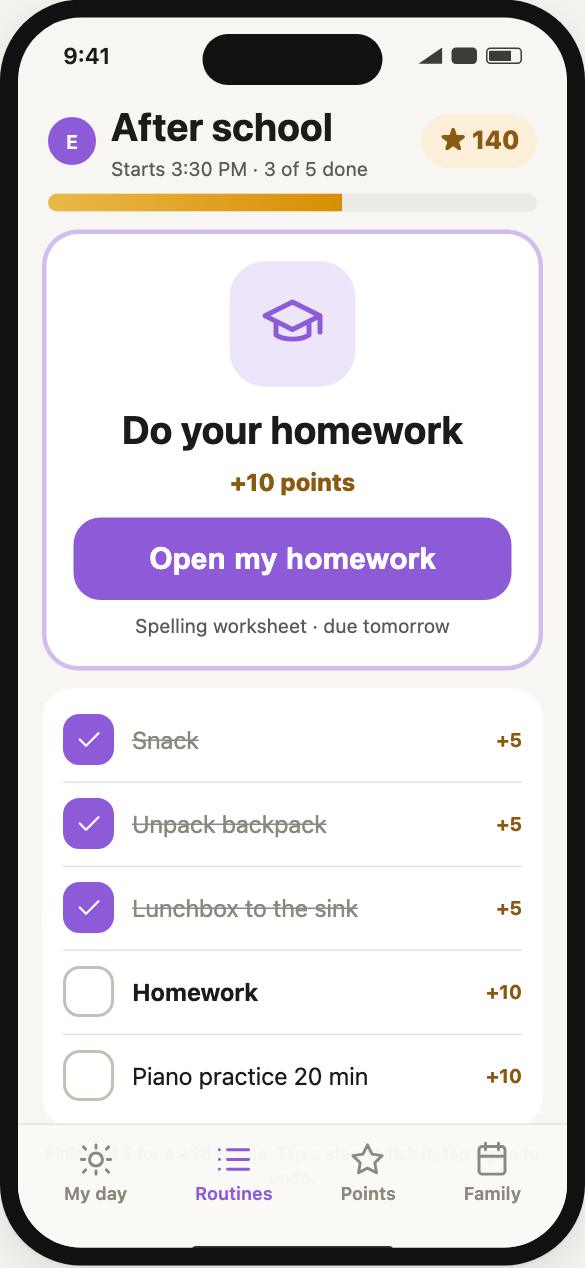
Points for each chore and each routine step, plus a bonus for finishing the whole bedtime or morning routine.
Turn on "parent checks it" for any chore. You approve it or send it back with a note ("Bins are still in the drive"). Points land when you approve.
Kids set a goal and watch it fill: "Climbing gym trip: 160 more points." Streaks build day by day, and holidays don't break them.
You build the rewards menu. A child asks for a reward, and points come off only when you say yes. "Not now" costs them nothing.
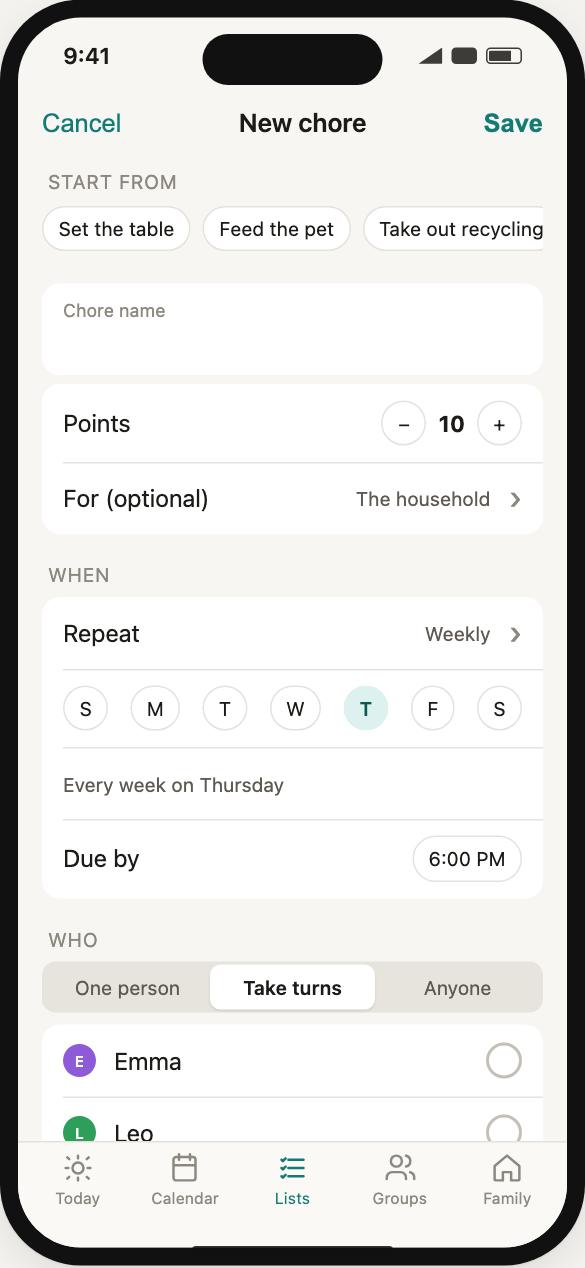
Chores can be fixed, take turns, or go to anyone. Turns rotate automatically, and if a child is at the other parent's home that day, their turn is kept for later.
FreeMorning, after school and bedtime, with pictures for each step for younger kids. You'll see "Bath 7:34 PM" when it's done, and it resets every day.
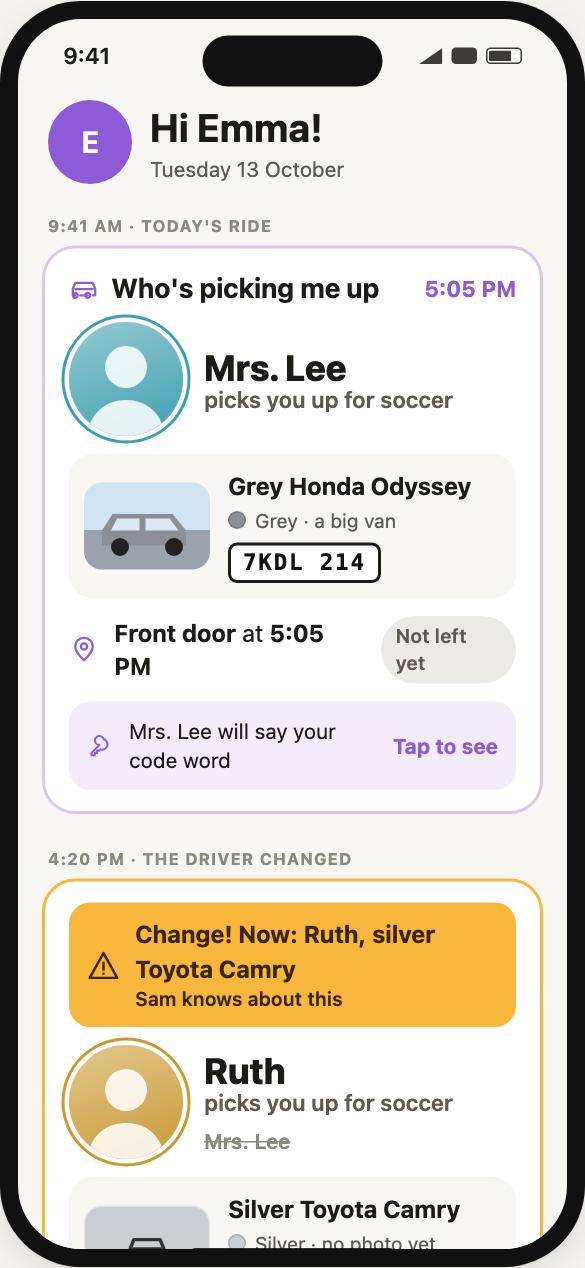
FreeTheir day in kid words, on a phone or tablet you pair from yours. No passwords for children: "Priya picks you up at 4:30 PM at the front door."
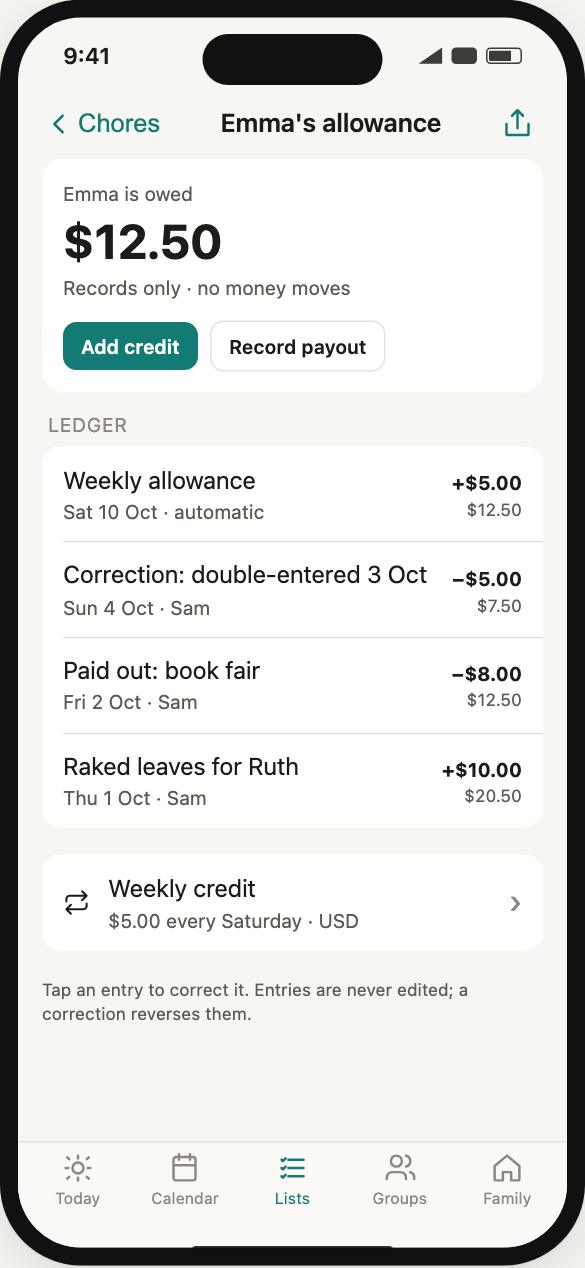
FreeTrack what's earned and paid out, with an optional weekly amount. Kids see their own balance.
FreeEach plan has a limit on children: 1 in Bronze, 3 in Silver and 10 in Gold. Children already added when your trial ends are kept; to add another past the limit, move up a plan.
Silver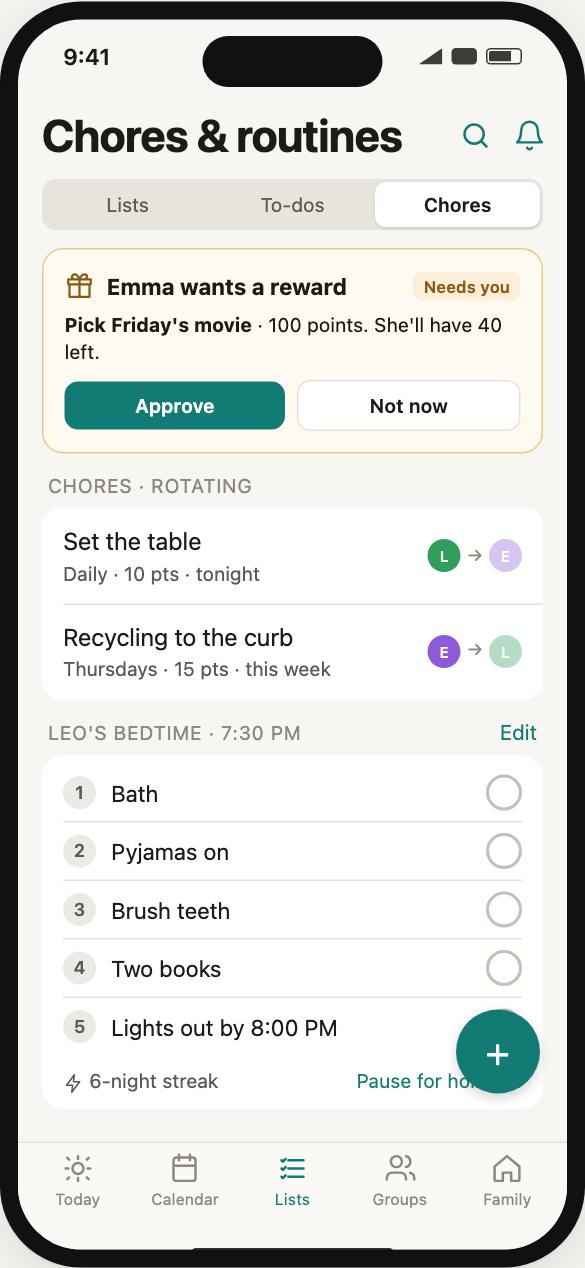
Every ride is linked to the practice it's for. When practice moves, the rides move with it, and they show up on every family's calendar. Setting up your first carpool takes about two minutes.
Most team carpools run on a group text and a spreadsheet. Practice moves and nobody's ride does. One family drives three times while another never does. At 5:25 PM a nine-year-old is asking whose car to get into.
At the first practice, show a QR code. Other parents scan it with their camera and join in under a minute. They don't need the app.
Free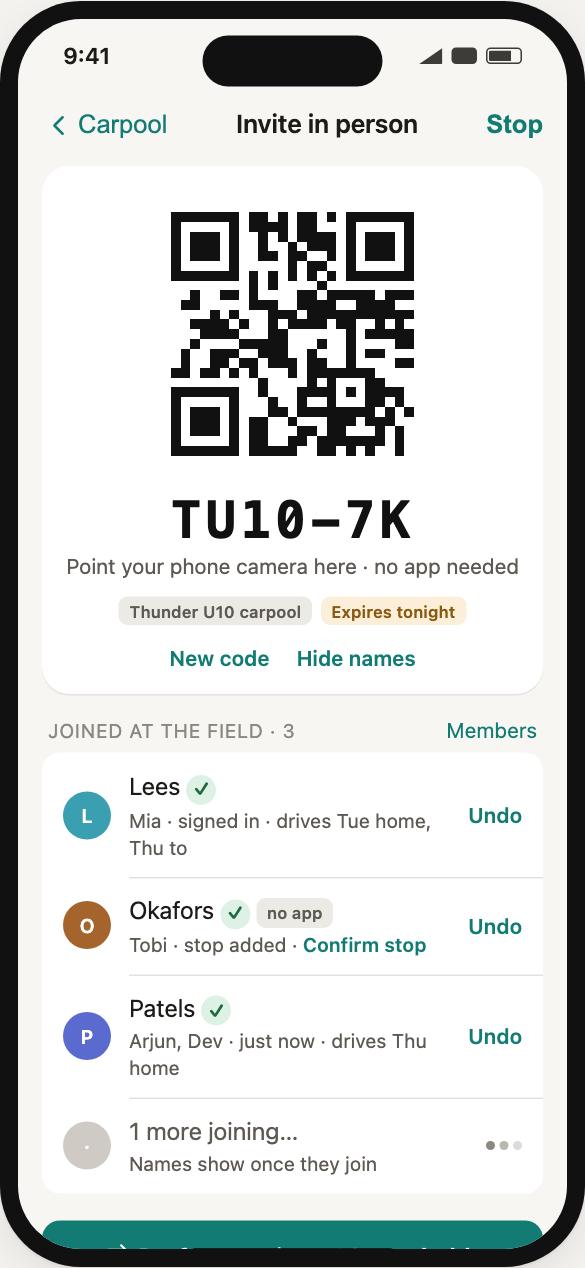
An invite link opens a private web page for each family. There they can see their kids' rides, mark a child as not riding, comment and subscribe to the calendar.
Free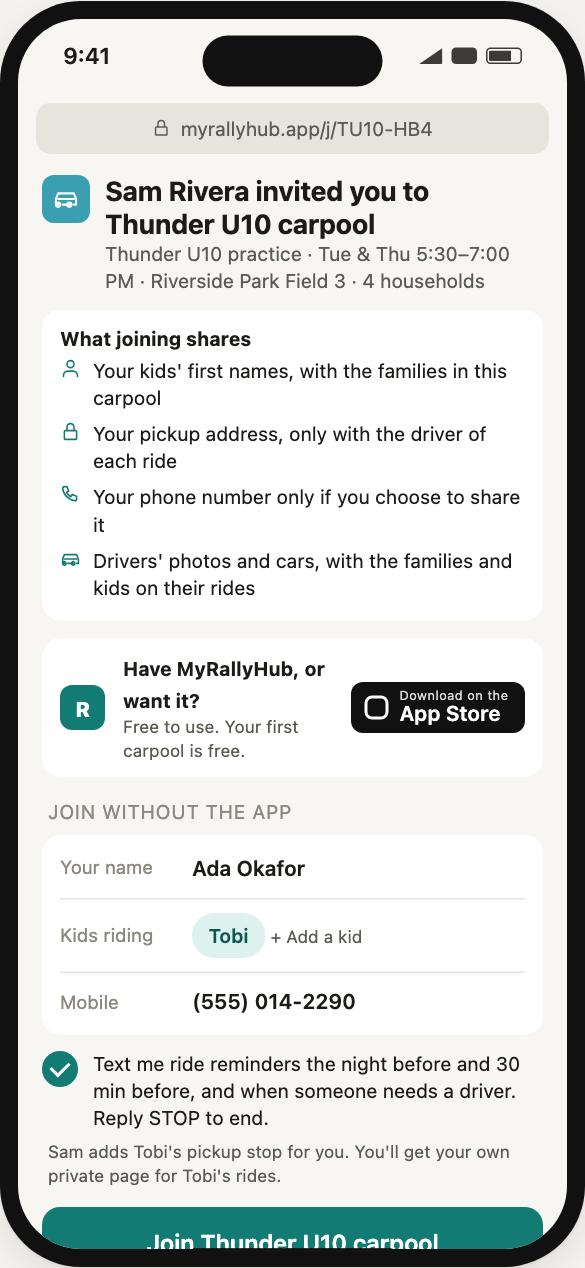
Choose the days and directions you can drive, add away dates, and set a limit like "at most once a week".
Free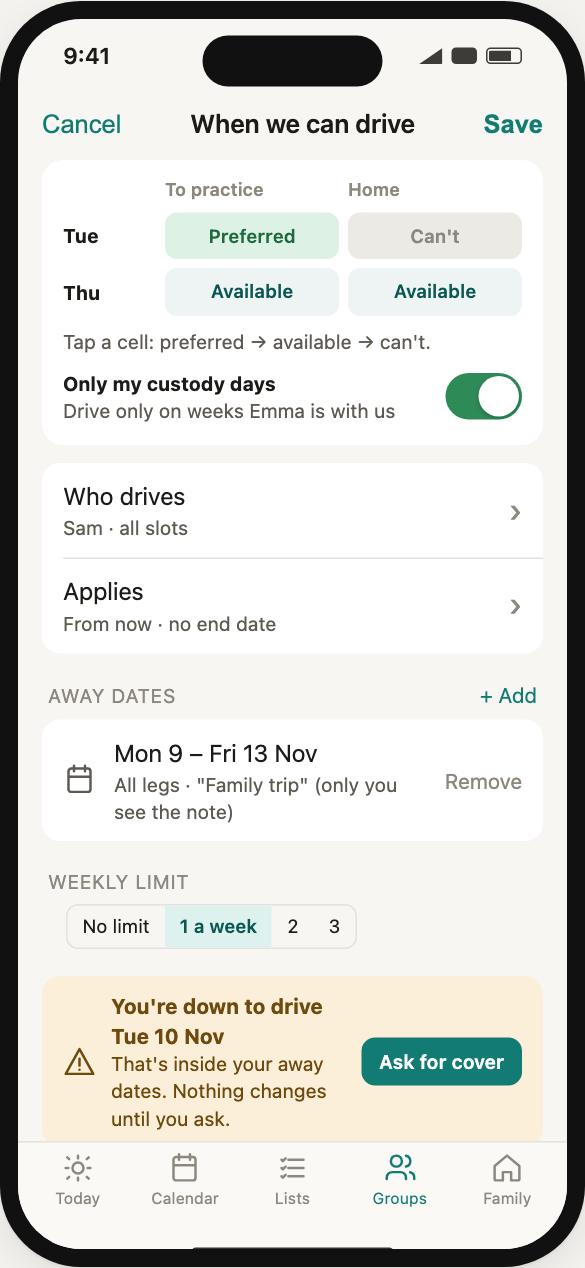
Take simple turns, or let it suggest a schedule that avoids calendar clashes and follows custody. Each choice comes with a one-line reason. Preview it before you apply it, and undo for 24 hours.
Free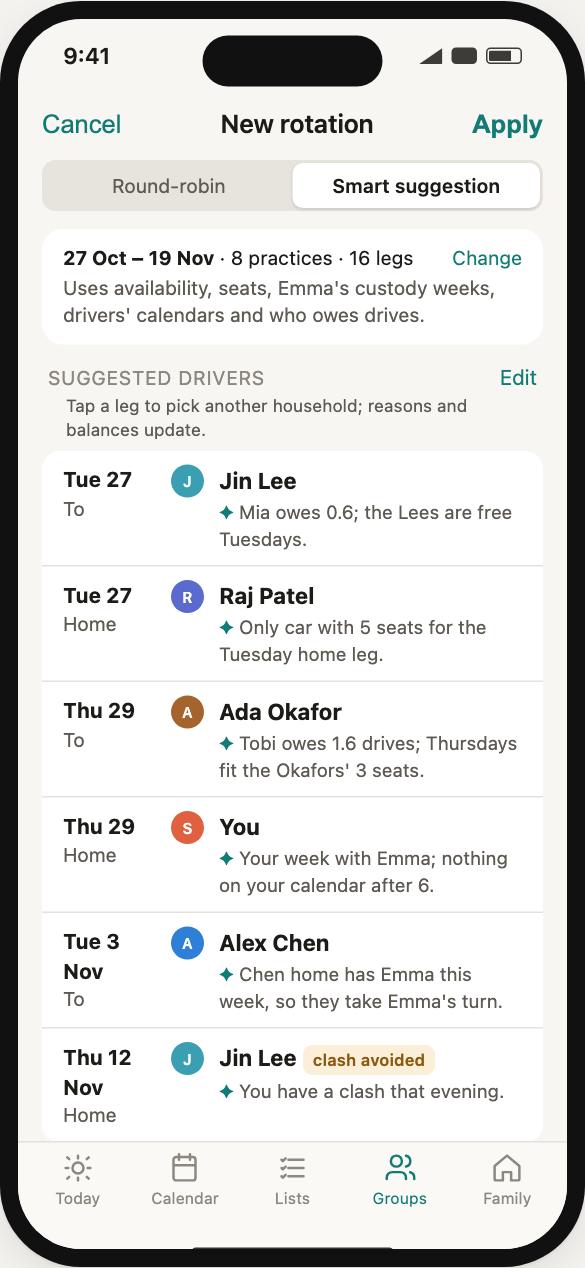
Rides there and back, one-off rides and exceptions, plus warnings on school holidays. It suggests a pickup order and checks seats and booster seats.
Free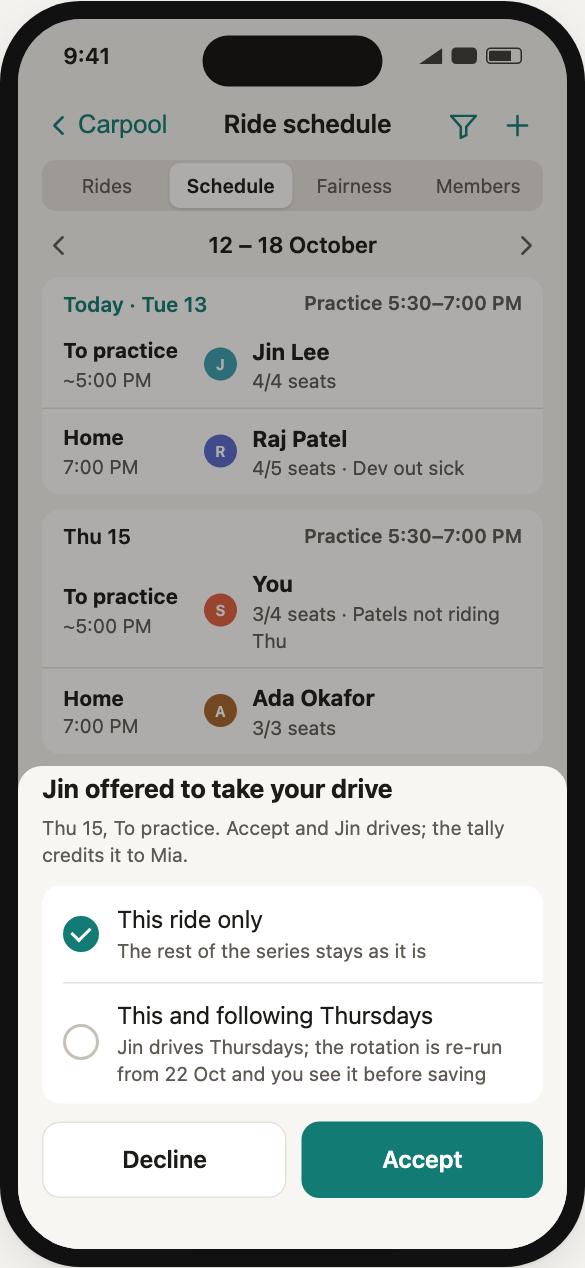
Ask the group and the first yes drives. Swap with a parent, or offer to take someone else's turn. If a ride is still uncovered, everyone is alerted 48 and 24 hours before.
Free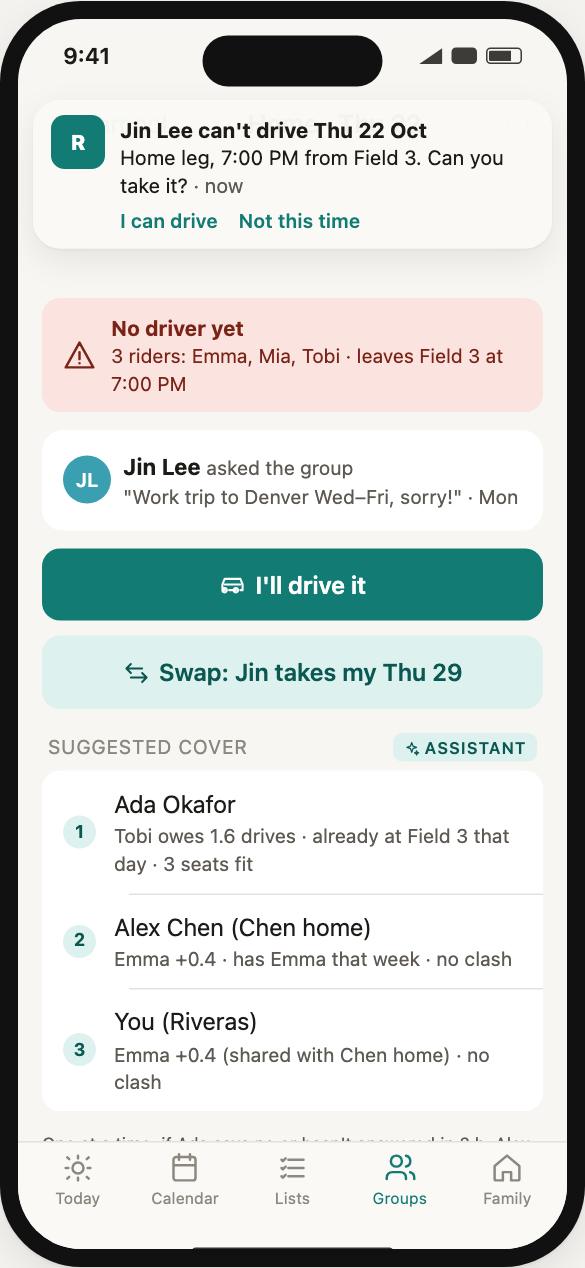
Give a drive to your partner, or to a grandparent or nanny you've added. They accept in the app, and the drive still counts for your family. In a real emergency, a trusted adult without the app can drive using a one-ride link and your family code word.
Free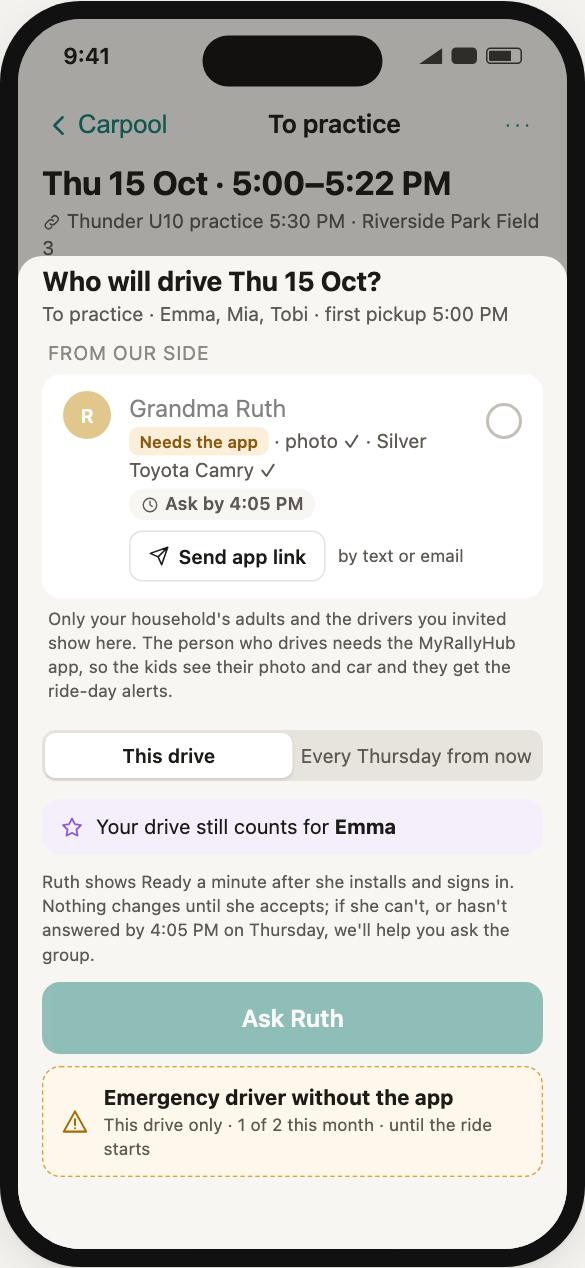
Reminders the night before and 30 minutes before. The driver taps "Leaving now", "Picked up" and "Dropped off", and parents know within 30 seconds. The live map and arrival time show on your Lock Screen, and the location is deleted at drop-off.
Free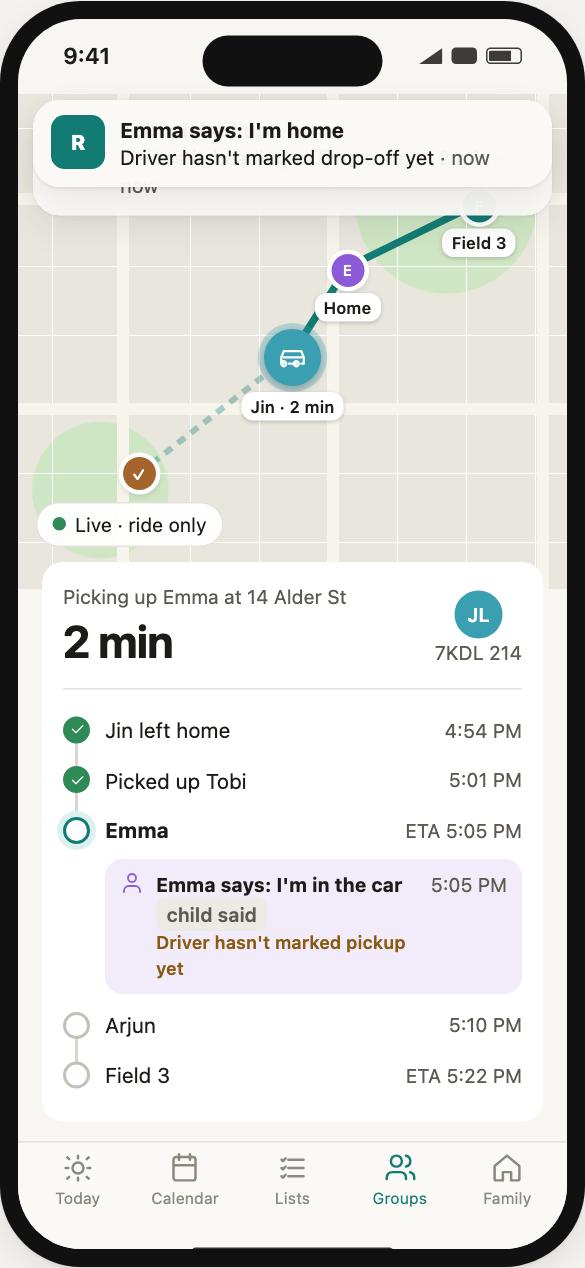
Kids see the driver's photo, the car and its plate, and where to meet. If the driver changes, they see a banner, and you can add a family code word.
FreeEvery carpool has its own chat, including families without the app. You won't need a separate group text.
Free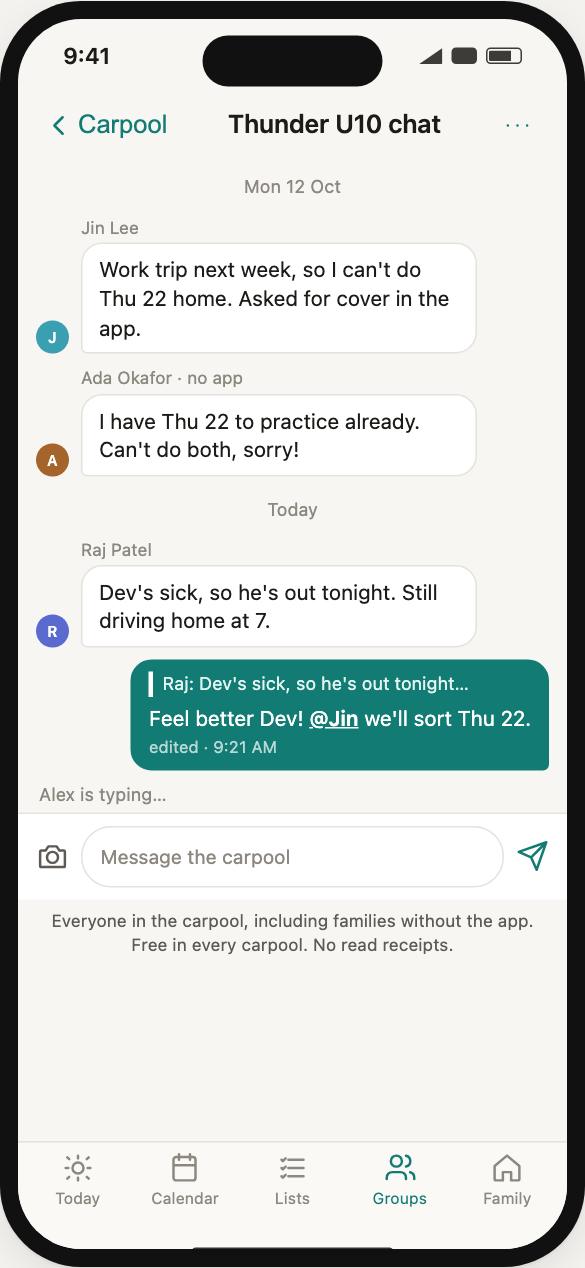
Rides and drives are counted for each child, and everyone sees the same numbers. Every change is in the history, so nobody has to keep score.
Free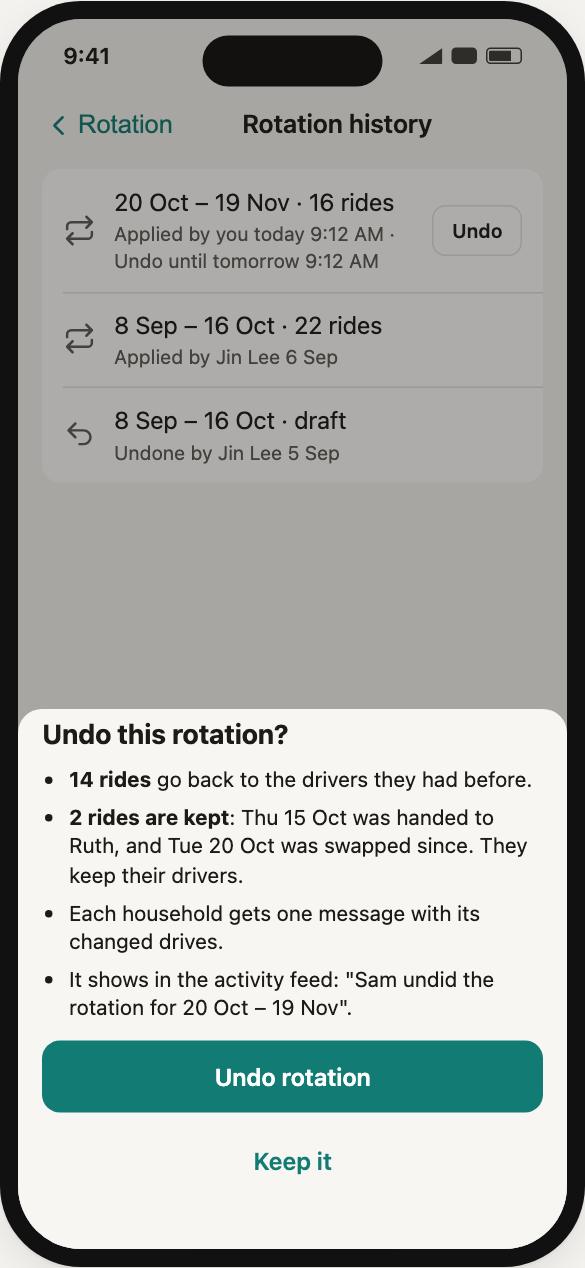
1 carpool in Bronze, 2 in Silver and 3 in Gold, each with every feature. Need more? Add 2 carpools for $0.99 a month or 5 for $1.99 a month, on any plan. Joining a carpool by invite is always free.
Free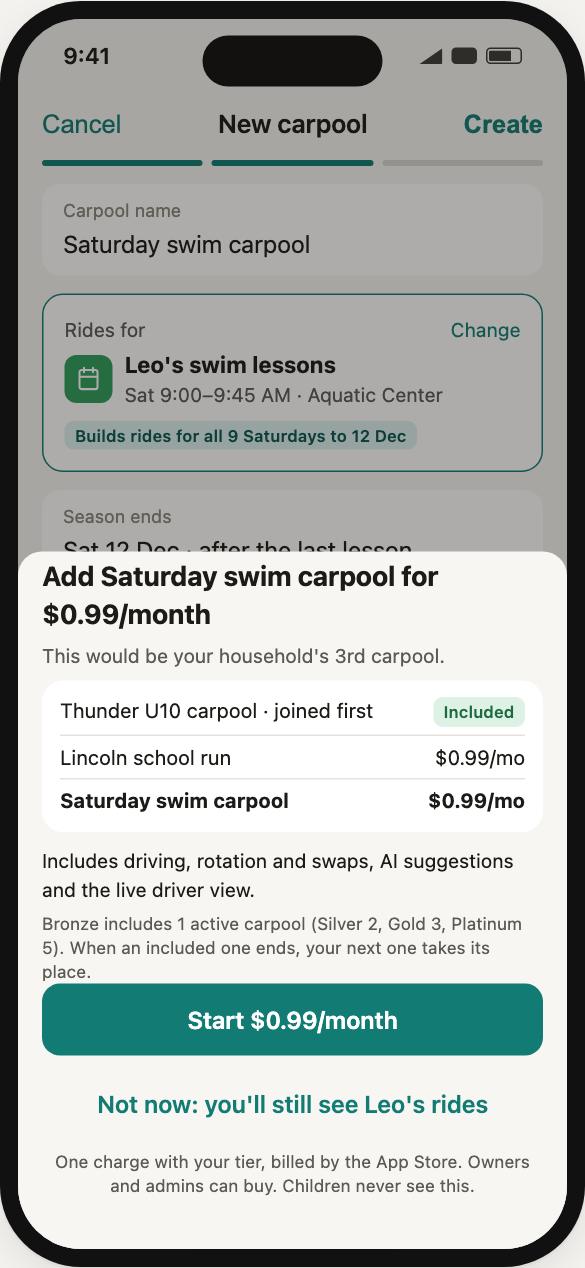
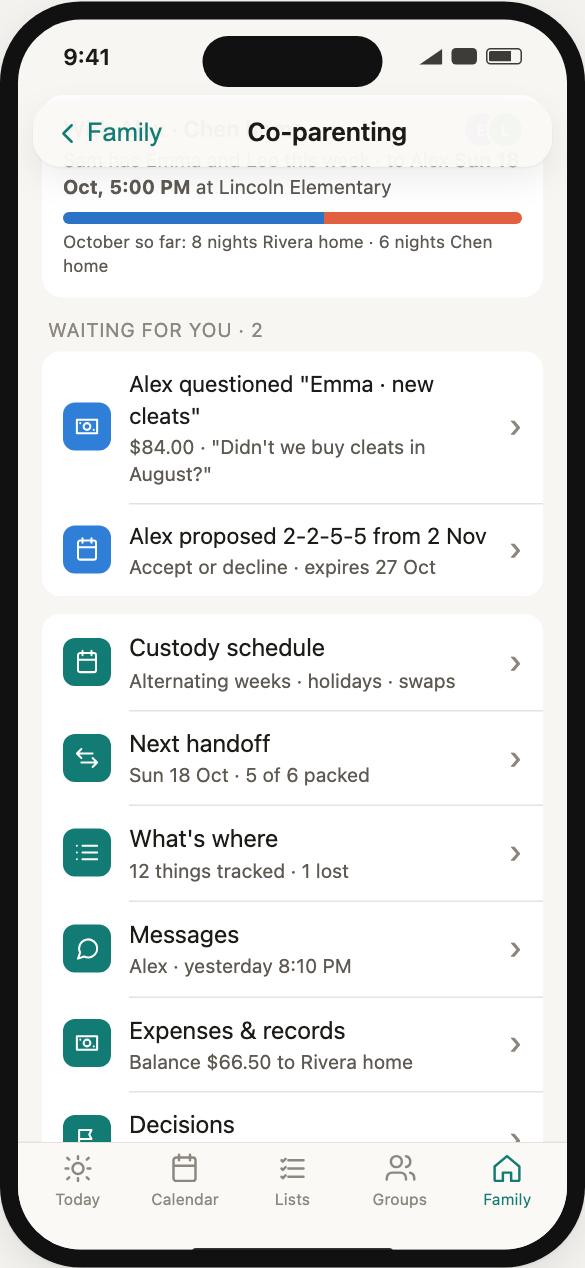
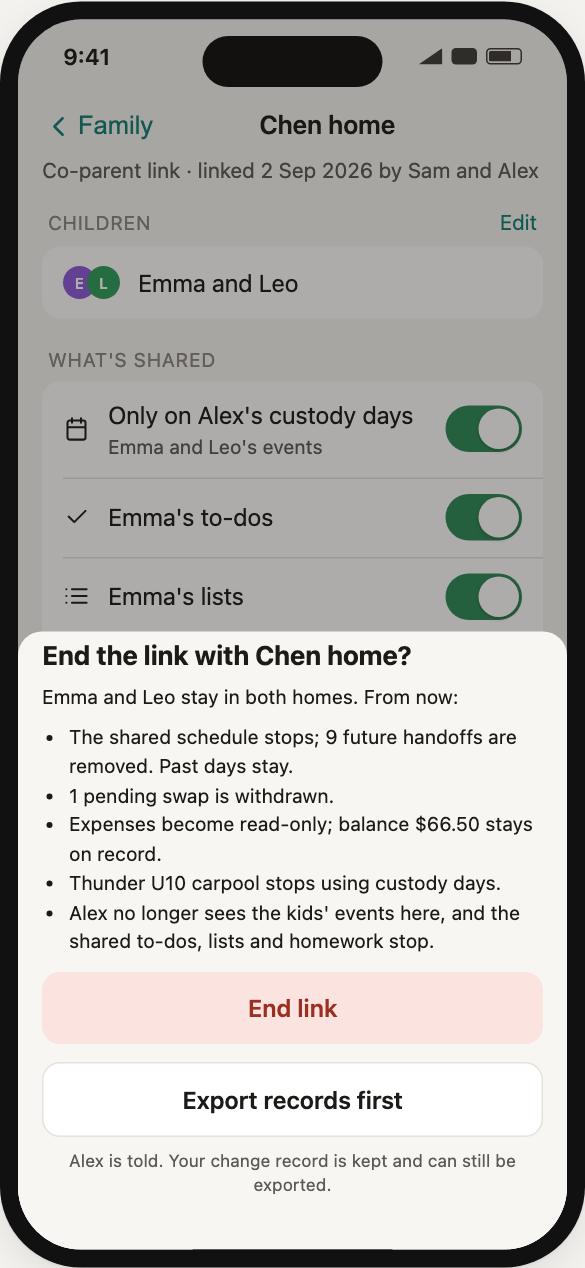
Link with the other home and share only what's about the children. The custody schedule, handoffs, swaps, messages, expenses and homework all live in one place. Each parent's own life stays private, and the kids never have to carry messages.
Two homes usually means two calendars, a long text thread, and a child asked to pass things on. Most co-parenting apps fix the messages but sit apart from family life. The custody schedule doesn't know about soccer, and the carpool doesn't know whose week it is.
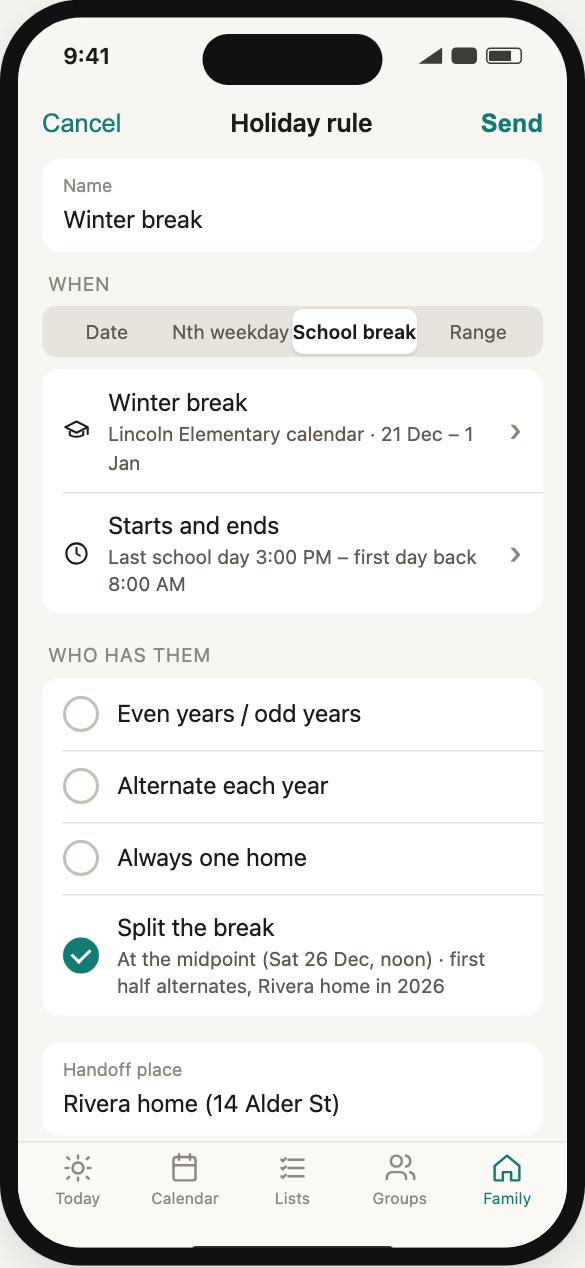
Alternating weeks, 2-2-3, 2-2-5-5, every other weekend or your own pattern. Holiday rules like "split the break". Swaps are two-way trades the other parent accepts.
Free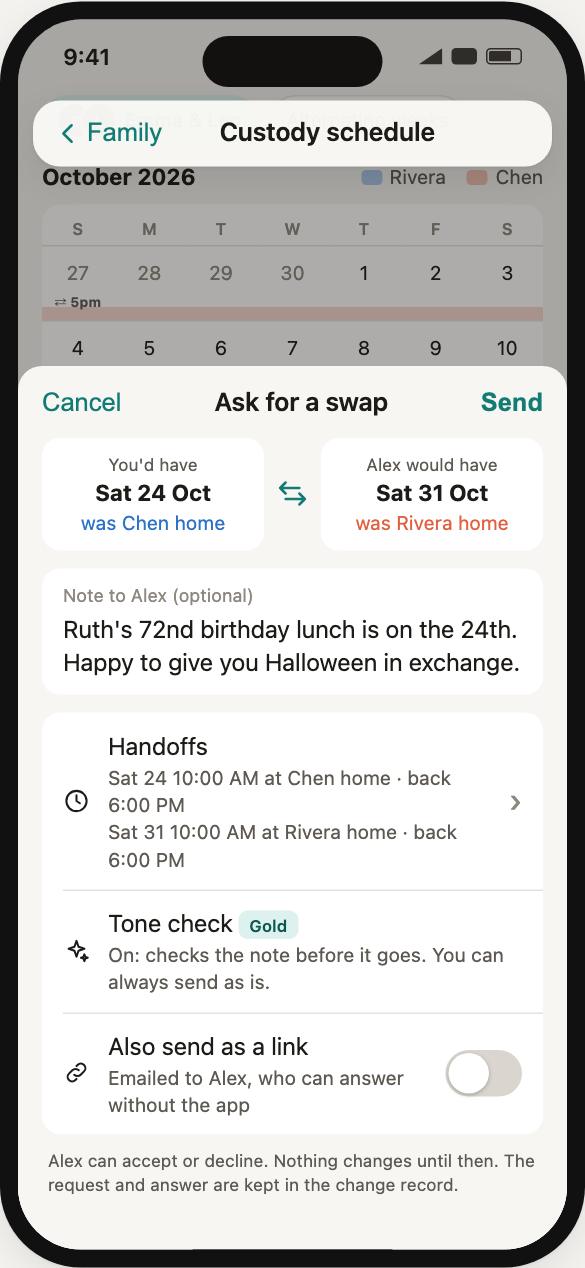
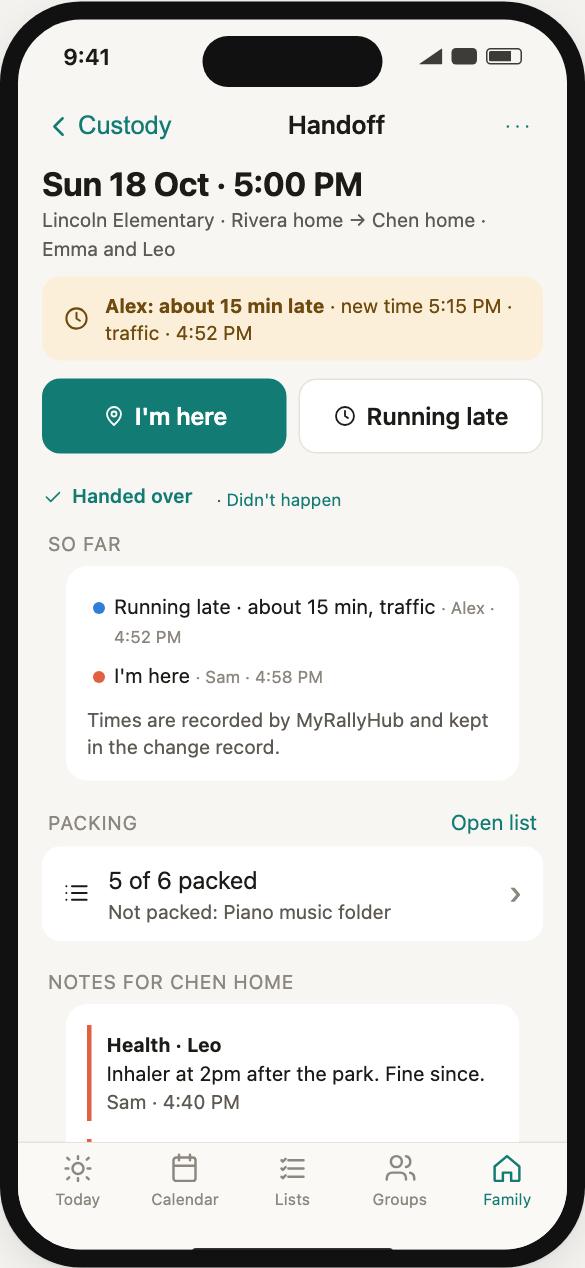
Handoffs are added to the calendar automatically, with a packing list. Track the inhaler, the tablet and the soccer cleats between homes. Send "Running late" with a new time.
Free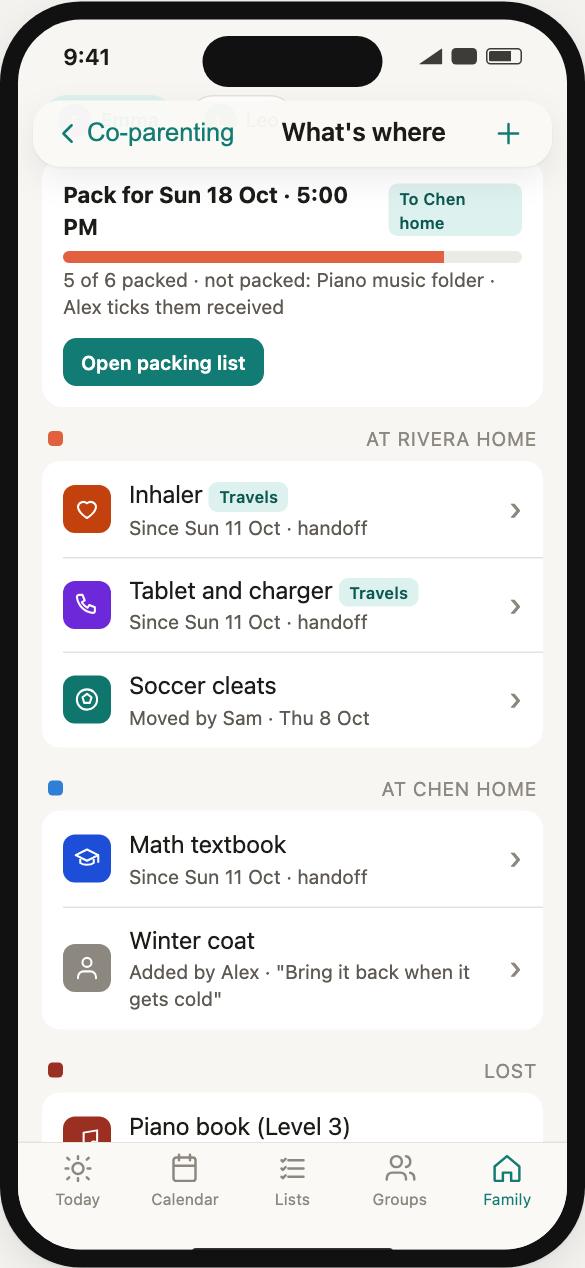
A thread that can't be edited or deleted. There are no read receipts or typing dots. Sending and reading is always free. A tone check before you send is in Gold.
Free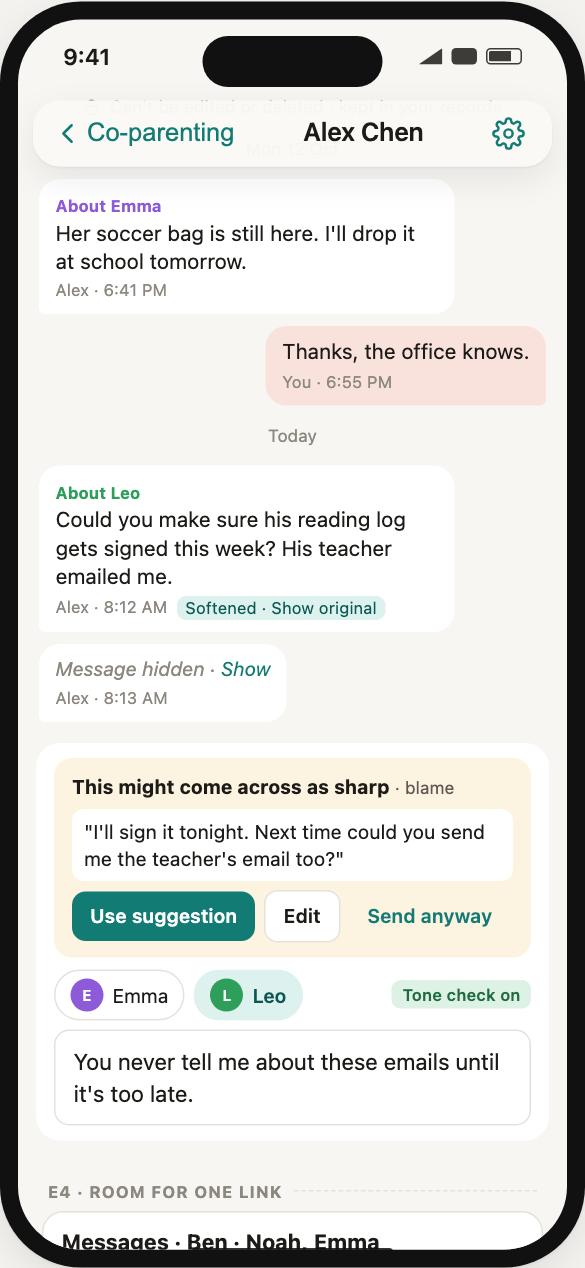
Log the cleats and the dentist bill, agree on a split, ask questions about an item and mark it reimbursed. 5 a month free, 15 in Silver, unlimited in Gold. Receipts and default splits come with Gold.
Free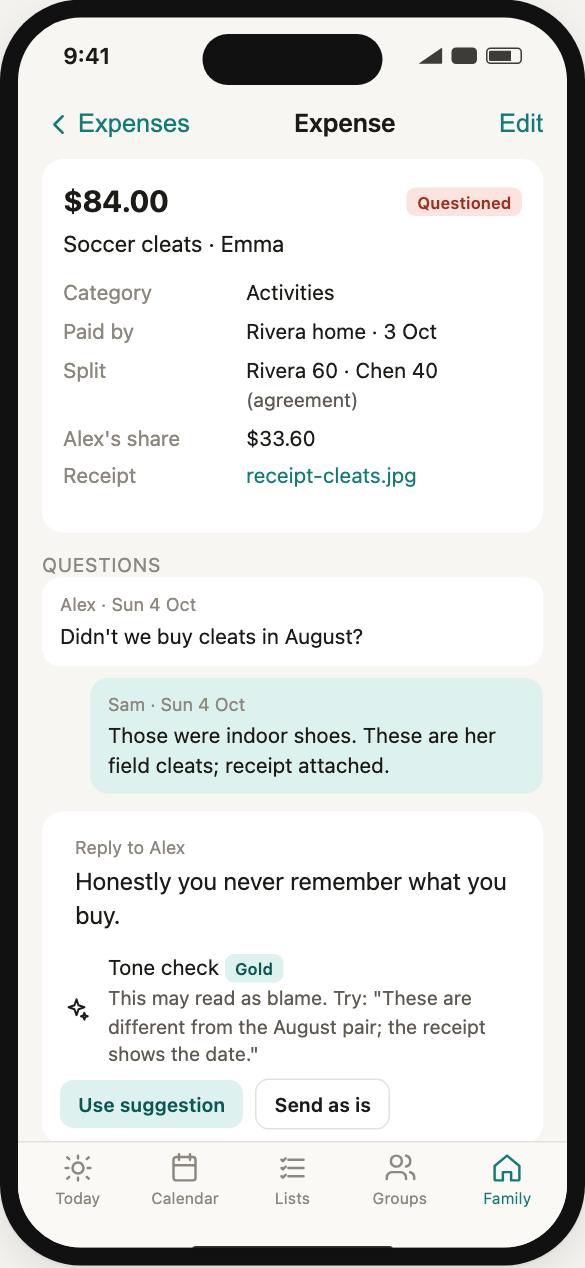
Homework, practice and reading logs are visible in both homes, with a weekly sign-off. A project doesn't fall through the cracks because it was the other parent's week.
Free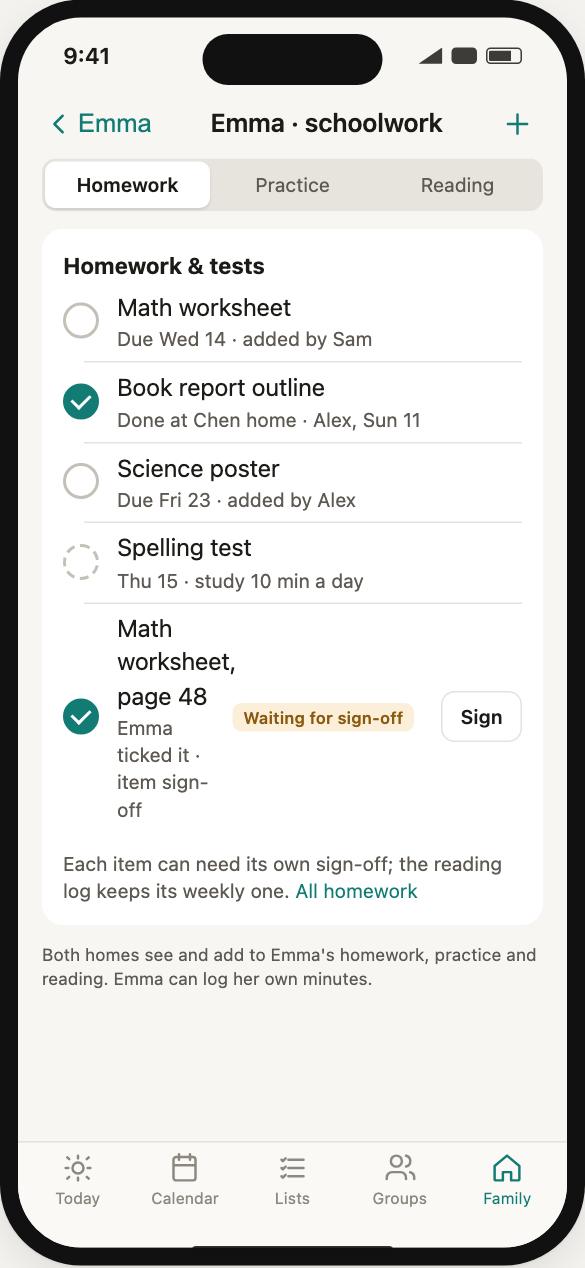
Every change is recorded, free. Gold adds parenting-time reports, an export that can't be altered, and a log of major decisions. The Co-parent Pro add-on (Gold only) gives a lawyer or mediator read-only access that expires.
Gold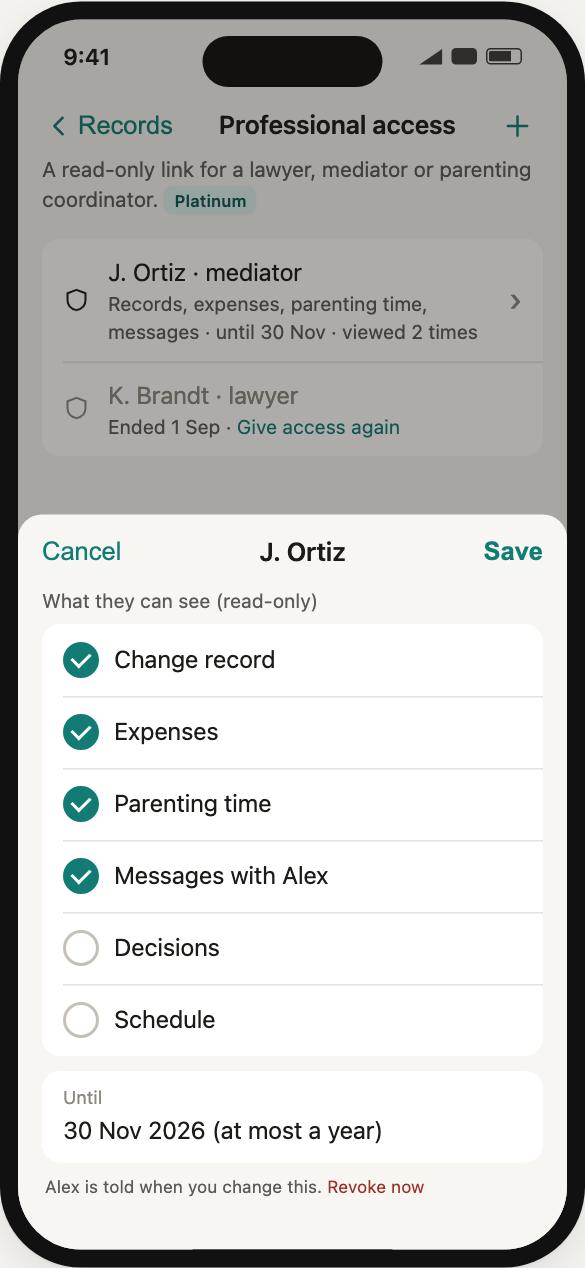
Parallel-parenting mode allows only structured requests and sets a neutral exchange place. Incoming hostile wording can be softened, and the original is one tap away.
Co-parent ProLinking homes is free. One home's plan never unlocks or blocks the other's, and the kids' schedule always works for both.
FreeThe link shares the children you have in common and nothing else, not even when you're busy, unless you choose to share it. Limit it to your custody days or handoff days, and use "Preview as…" to see exactly what the other parent sees.
A stand-alone co-parenting app only knows about custody. MyRallyHub runs the custody schedule inside the same calendar, carpool and lists your family already uses. The value is in the combination.
Custody days are shaded on the calendar, and Today says "Sam has the kids this week". The kids' practices and recitals show in both homes automatically.
The smart rotation reads the custody schedule, so drives land with the home that has the kids that day.
Chore turns skip the days a child is at the other home and pick up again when they're back. Nobody loses a turn or points.
Shared child lists and schoolwork follow the kids between homes. The permission slip gets signed whichever house it lands in.
A circle is a group of people outside your household, like grandparents, the nanny or the friend family, who you share part of your family life with. Each circle sees only what you choose, and nothing until you add it.
Families are bigger than one household. Usually the choice is forwarding screenshots of the calendar or giving everyone everything. Circles let Grandma see the game schedule without seeing the dentist appointment. The nanny gets the pickups and allergies, but only during her hours.
Share kids' events, or anything tagged #grandparents. Show it as "busy", the basics, or full detail with place and notes.
Free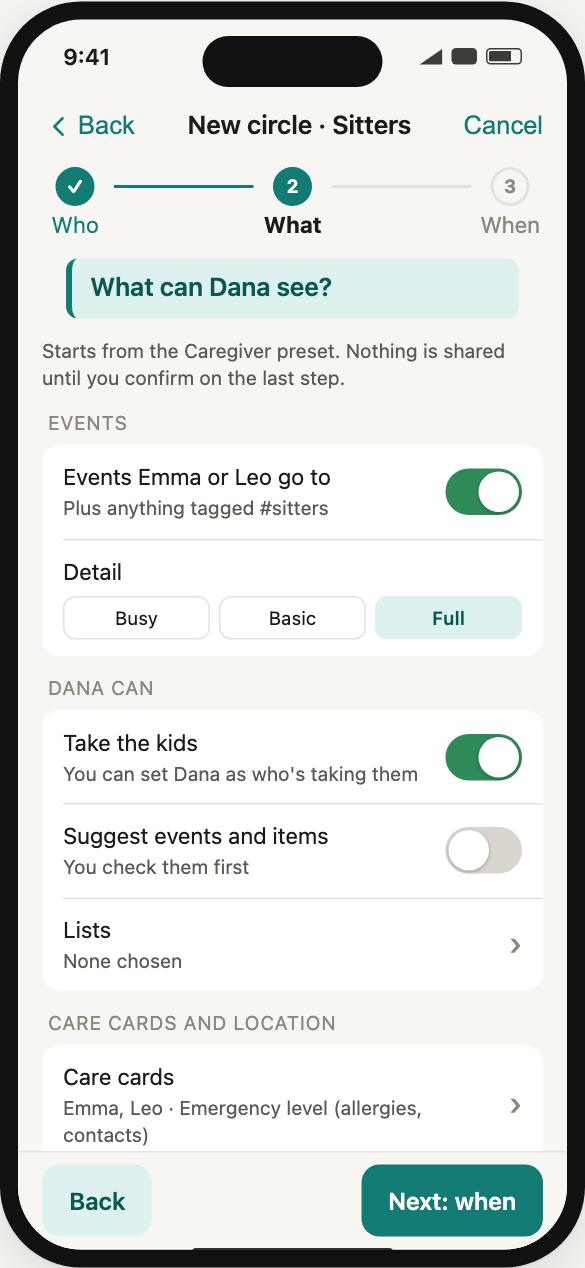
View only, suggest an event for you to accept, "take" a pickup as the responsible adult, or help with chosen lists.
Free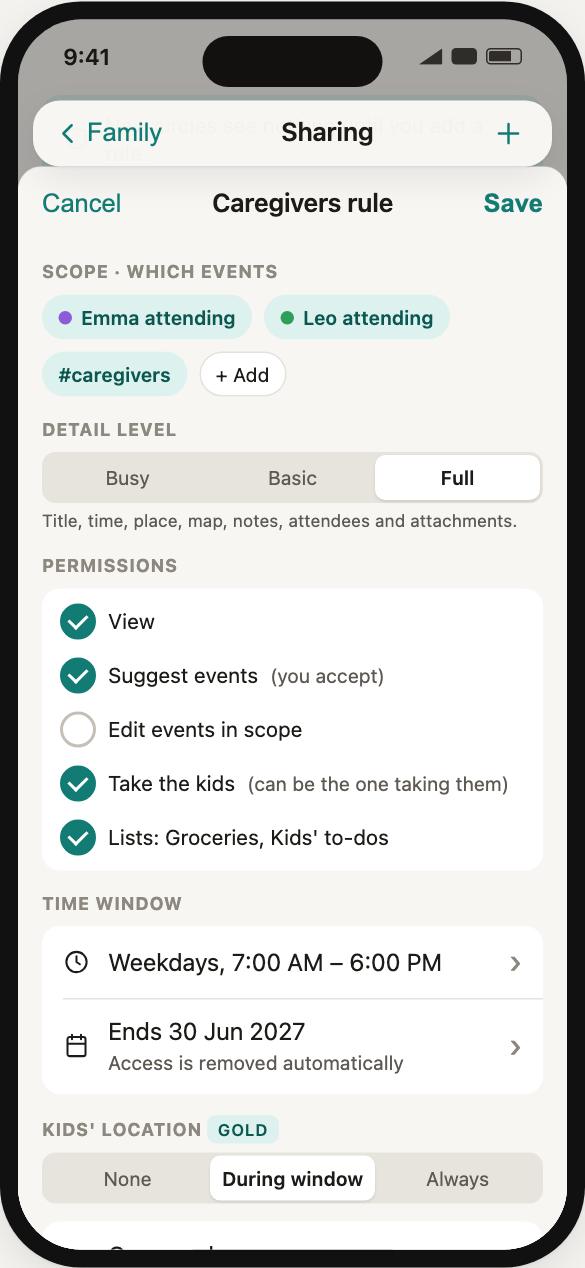
Always, set hours (weekdays 7 to 6), a date range, or an end date that removes access by itself.
Free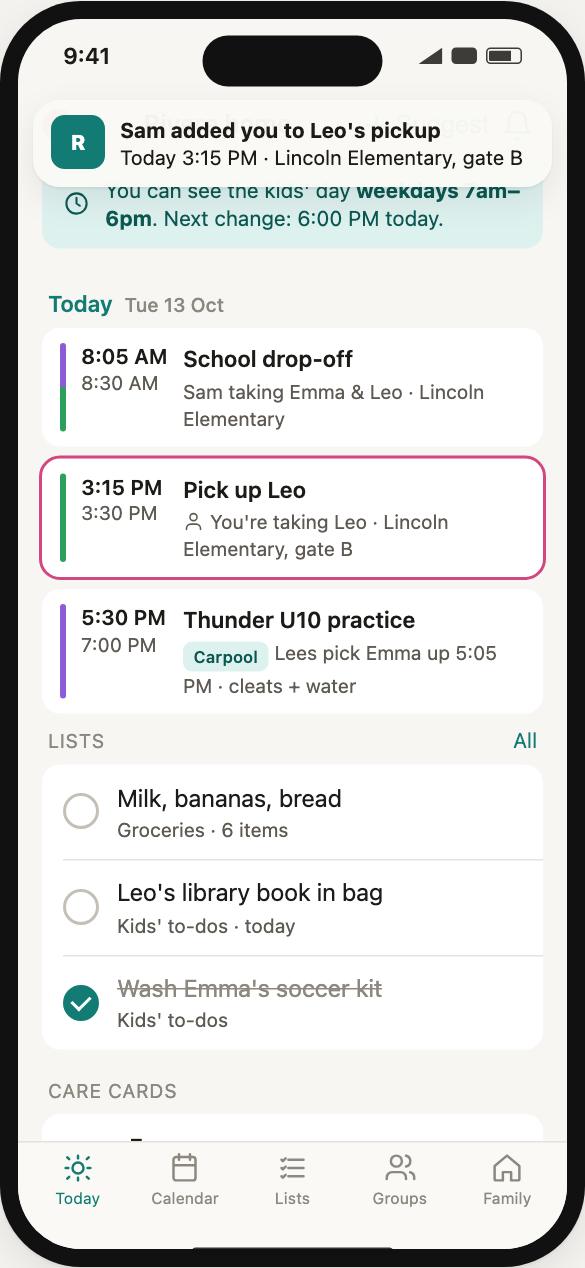
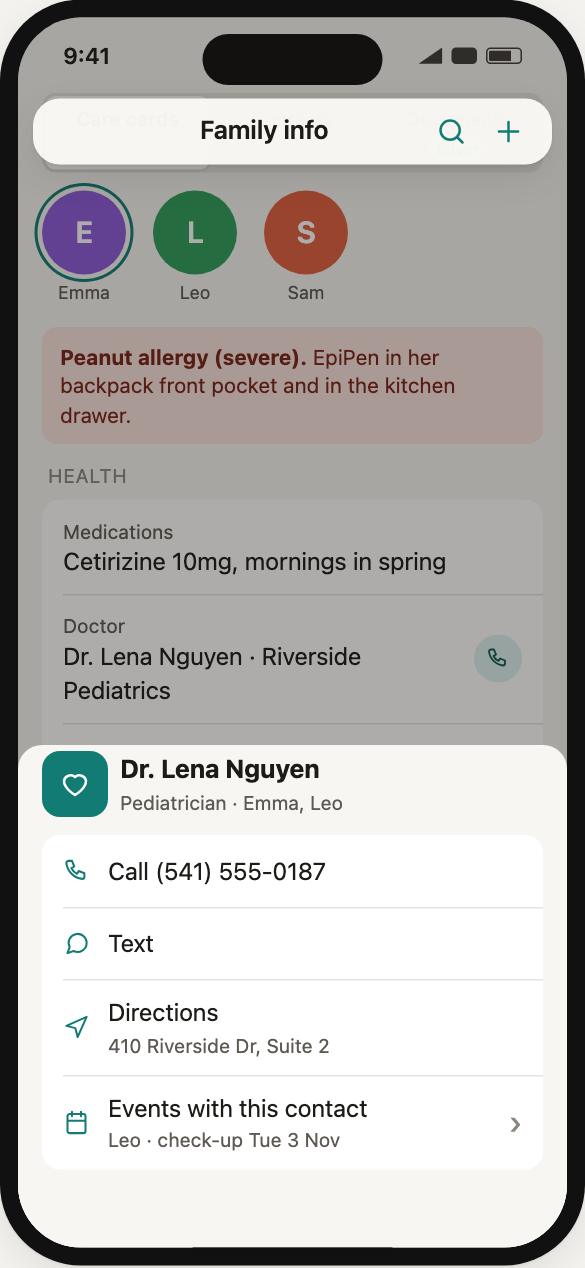
Allergies, medicines, doctors, sizes and the bedtime routine, at the level you choose. Whoever has the children right now can open the insurance card and consent-to-treat form, and you're told when they do.
Free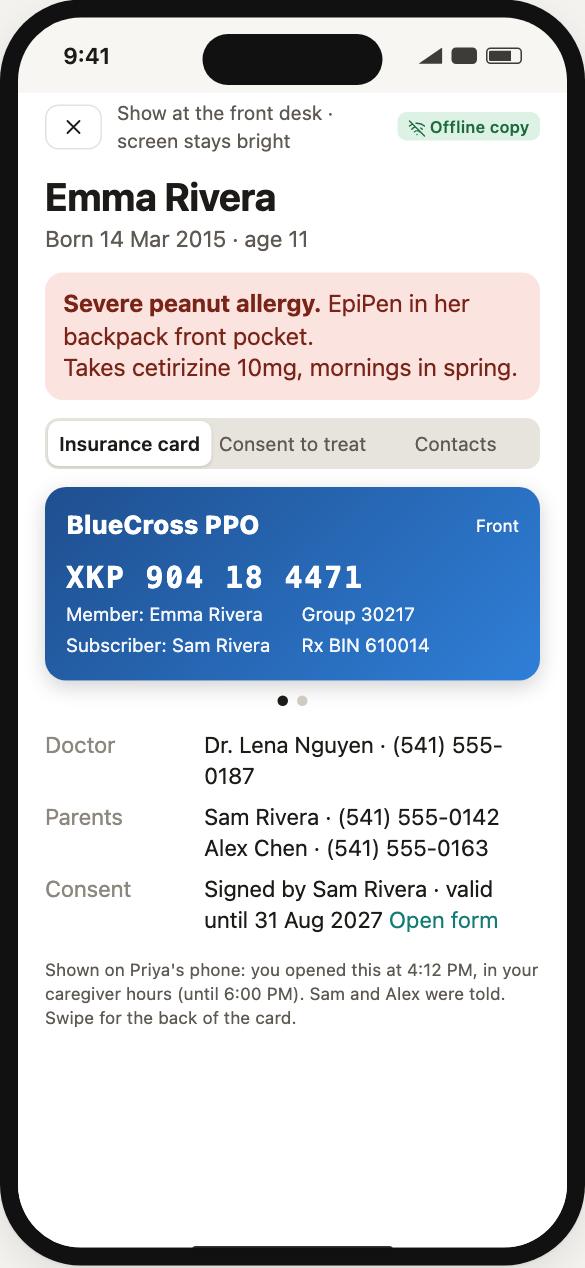
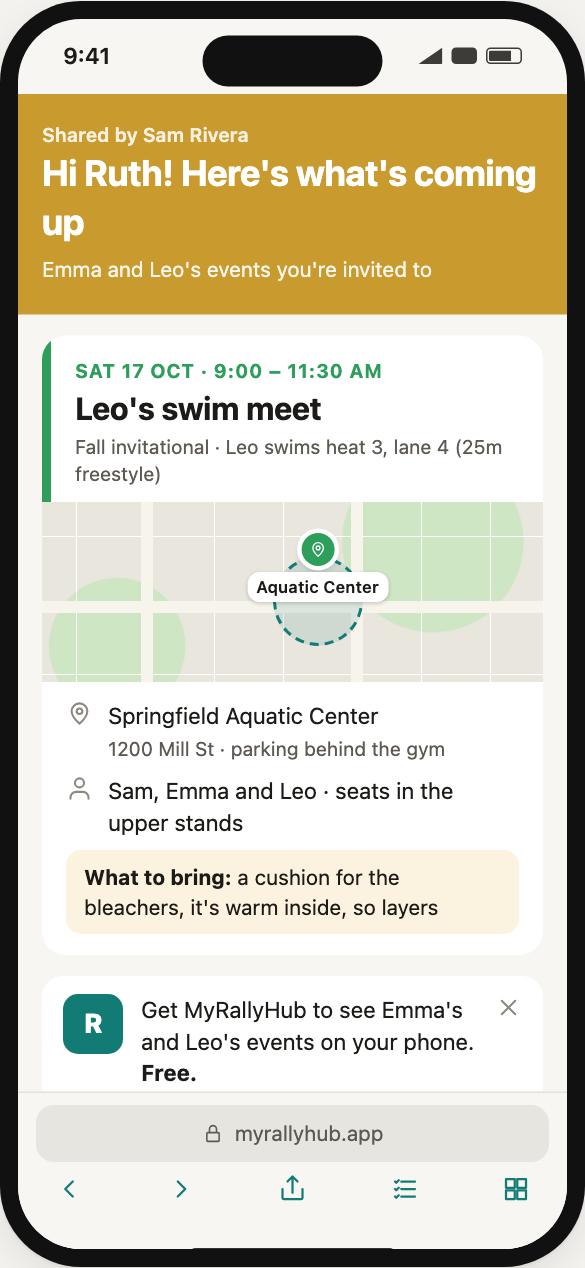
No account is needed to view. Circle members get a private page, an email summary, a calendar feed and RSVPs. They're invited to get the app but never made to. Up to 4 people in Bronze, 10 in Silver and 25 in Gold. Co-parents and professionals don't count.
The games, recitals and birthdays, with a weekly email summary. They can view and RSVP. They won't see the orthodontist or your work trips.
View only · tagged events · weekly summary
The kids' schedule, pickups, care cards and the groceries list, during working hours. They can take a pickup themselves, and access ends on the last day of the contract.
Weekdays 7–6 · take pickups · ends automatically
Your kids share a team and a swim class. Share those activities so they can cover a pickup when you're stuck at work, with the code word and the care card in hand.
Shared activities · can take a drive
Your sister is taking the kids for the weekend. Share the weekend's schedule, the bedtime routine and the emergency pack for just those dates.
Date range · care cards · emergency pack
A relative is minding the dog while you're away or running late. Share the "Pepper" list (feeding times, walks, the vet) and your travel dates, for just as long as you're gone.
One shared list · date range
Tonight's schedule, the bedtime routine and the allergy card, from 6 to midnight. After that, they see nothing.
Set hours · care card
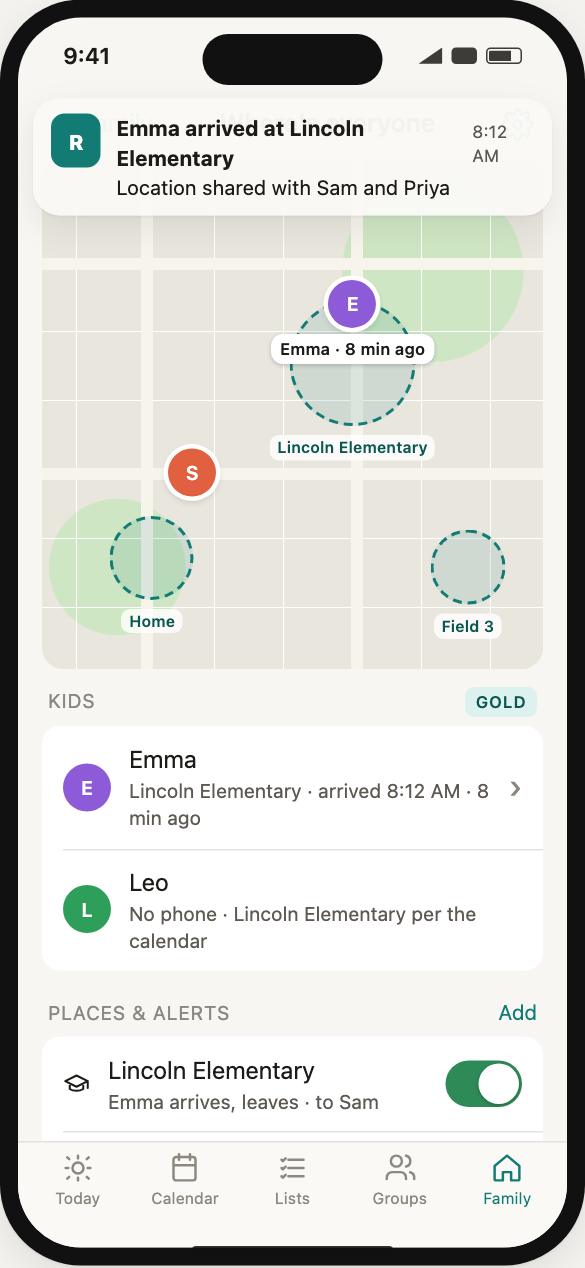
See when a child arrives at school or practice, on a phone you've paired. Location is off until a guardian turns it on, and only the household sees it.
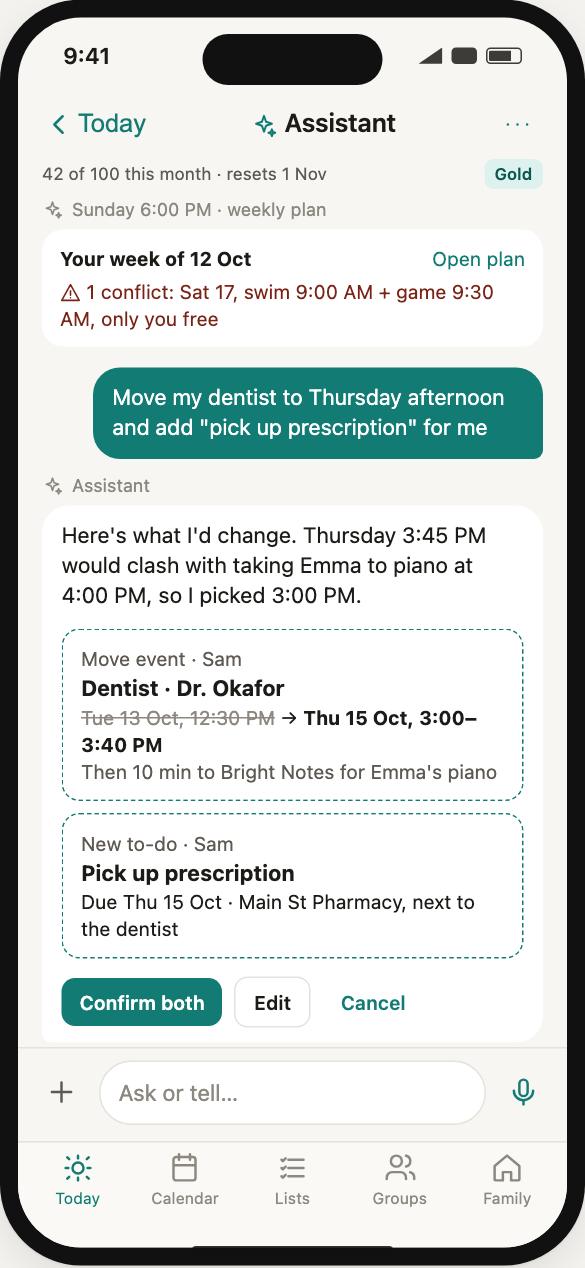
"Who can take Leo to swim on Thursday?" The assistant checks the calendar, the carpool and who's free, then suggests a plan. You approve every change.
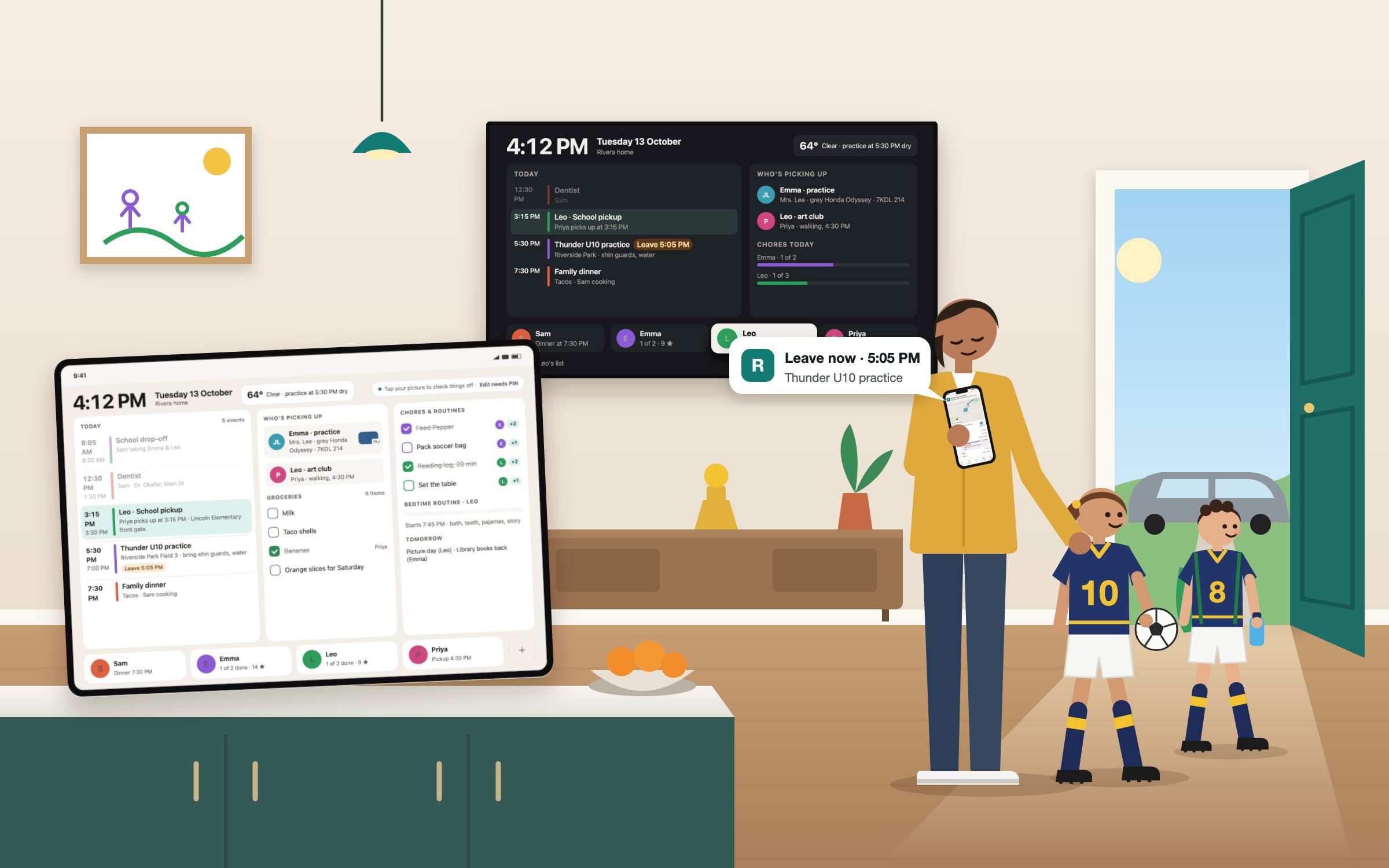
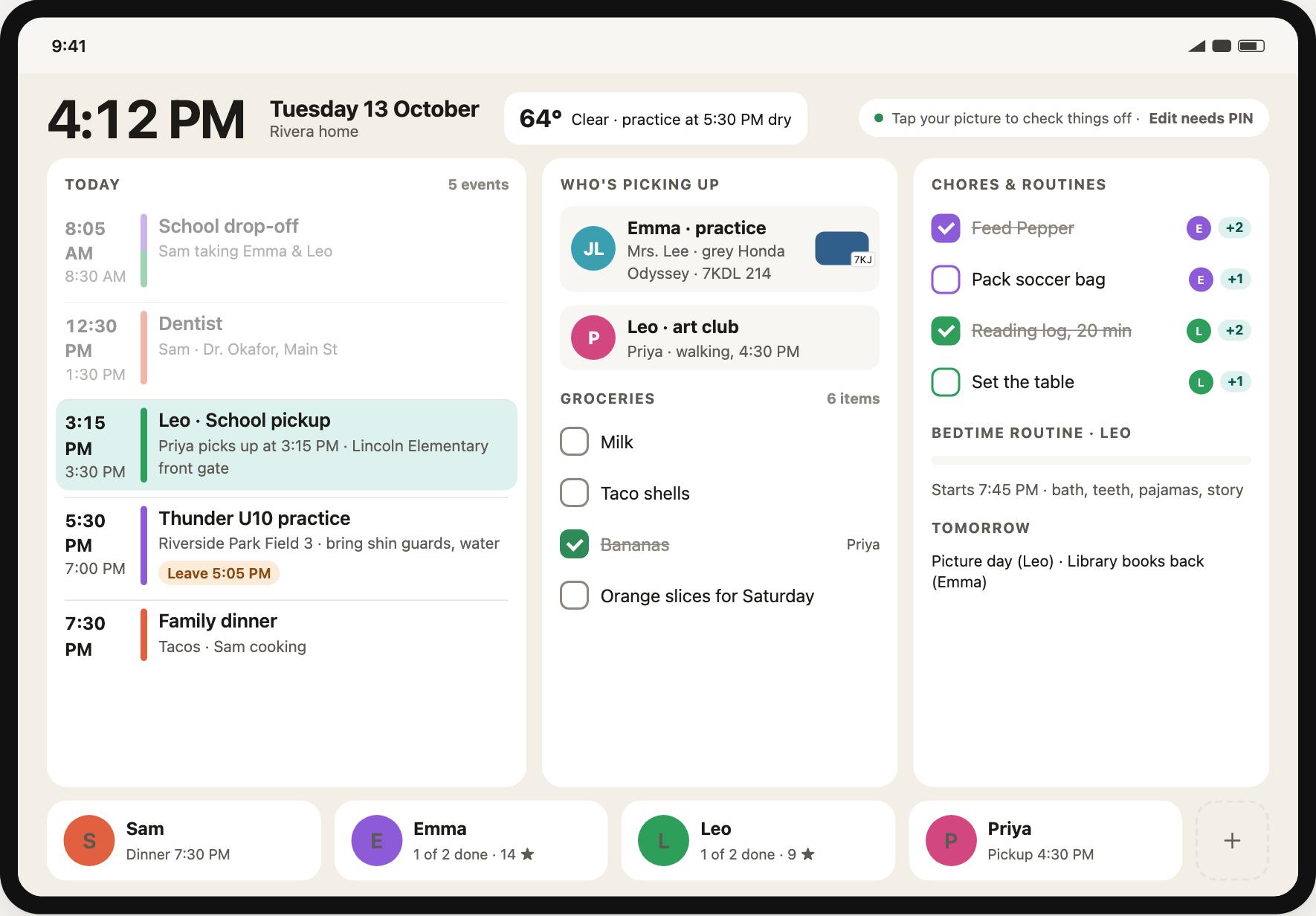
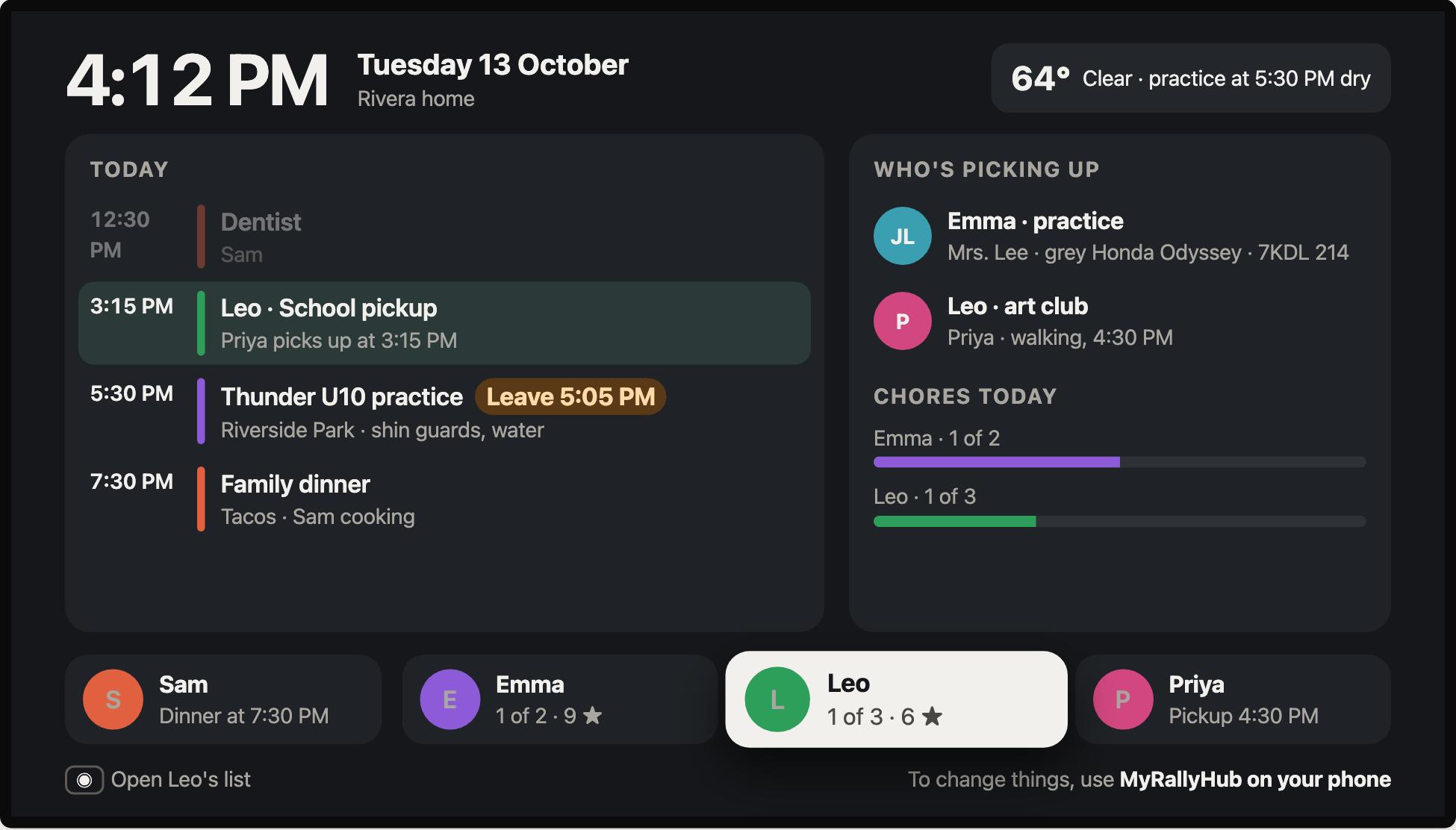
It's 5:05 PM on practice day. The TV shows the day, the kitchen tablet shows whose chores are done, and your phone says it's time to leave. Everyone is looking at the same plan.
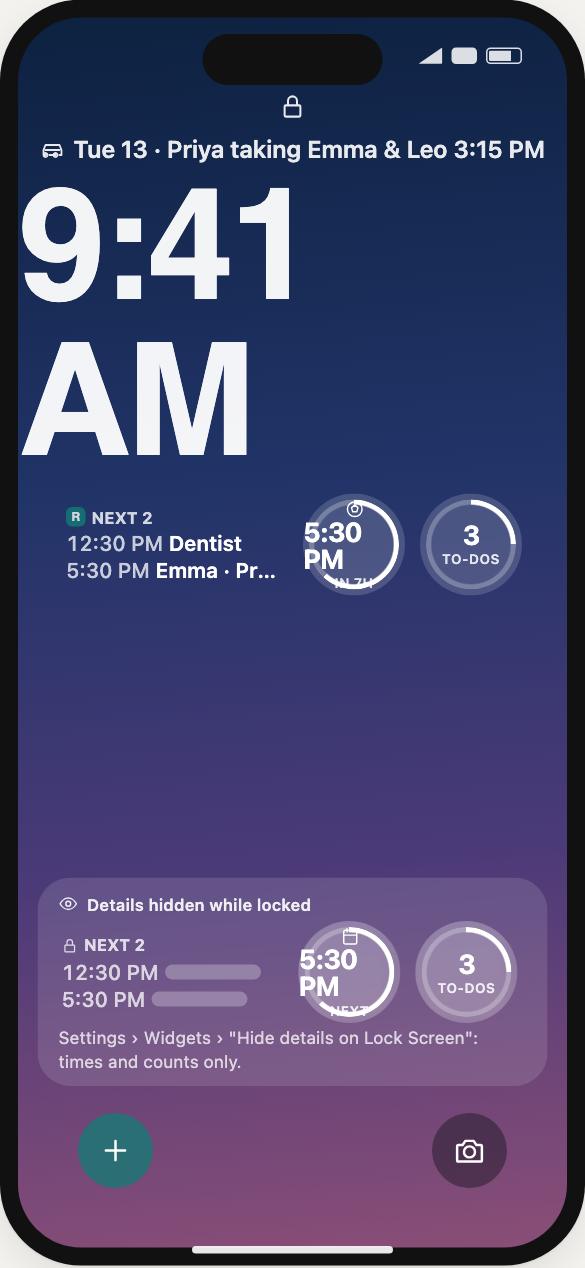
Widgets put the next event on your home and lock screen. Turn a spare iPad or Android tablet into the family board, or put it on the living-room TV. Kids tap their picture to tick off chores.
Start free, and try Gold free for 30 days with no card. Upgrade when you need more people, more carpools or the extras. One price covers the whole household.
The family calendar, lists, chores and your first carpool.
Bigger families and busy schedules, with imports and the vault.
Everything for a busy household, including location and the assistant.
| Feature | Bronze | Silver | Gold |
|---|---|---|---|
| Price | |||
| Yearly | Free | $39.99 | $79.99 |
| Monthly | Free | $4.99 | $9.99 |
| Included | |||
| Children (limit per household) | 1 | 3 | 10 |
| Adults | 2 | 4 | 6 |
| Sharing circle people | 4 | 10 | 25 |
| Carpools (add 2 for $0.99/month or 5 for $1.99/month) | 1 | 2 | 3 |
| AI actions a month (imports and assistant) | — | 15 | 150 |
| Document vault | — | 250 MB | 2 GB |
| Co-parent expenses a month | 5 | 15 | No limit |
| Family | |||
| Calendar, sync, school calendars, planned leave-by (typical traffic) | ✓ | ✓ | ✓ |
| Lists, to-dos, homework | ✓ | ✓ | ✓ |
| Chores, routines, points, allowance, kid mode | ✓ | ✓ | ✓ |
| Sharing circles and care cards | ✓ | ✓ | ✓ |
| Widgets, Lock Screen, StandBy | ✓ | ✓ | ✓ |
| Import from email, photo or PDF | — | ✓ | ✓ |
| Live leave-by (traffic and weather) and "leave now" alerts | — | ✓ | ✓ |
| Weather on outdoor events and a day summary in Today | — | ✓ | ✓ |
| Week-ahead widget and next-event Live Activity (iOS) | — | ✓ | ✓ |
| Lock-screen next leave-by widget (iOS; Bronze shows the planned time) | Planned | Live | Live |
| "Where everyone is today" header (from the schedule) | — | ✓ | ✓ |
| Location reminders ("when I get to / leave") | — | ✓ | ✓ |
| Carpool ride Live Activities | ✓ | ✓ | ✓ |
| Written weekly summary | — | ✓ | ✓ |
| Document vault and medication reminders | — | ✓ | ✓ |
| Kid location and arrival alerts | — | — | ✓ |
| Family assistant | — | — | ✓ |
| Kitchen tablet and Apple TV board | — | — | ✓ |
| Carpools | |||
| Live ride ETAs and leave-by for carpool rides | ✓ | ✓ | ✓ |
| Rotation, swaps, cover, hand-offs, ride day, pickup cards | ✓ | ✓ | ✓ |
| Group chat | ✓ | ✓ | ✓ |
| Co-parenting | |||
| Custody schedule, holidays, swaps, handoffs | ✓ | ✓ | ✓ |
| Co-parent messages (send and read) | ✓ | ✓ | ✓ |
| Records, exports, decisions log, tone check | — | — | ✓ |
| Co-parent Pro · $5.99/mo, or $49.99/yr (save 30%) · add-on for Gold: softened messages, parallel parenting, professional access, priority support | — | — | Add-on |
Children: 1 in Bronze, 3 in Silver, 10 in Gold. The children you've added are kept when the trial ends. Co-parent links are never limited, but a child shared with a co-parent counts toward the limit.
Each home picks its own plan. Linking homes is free, and the other home can always answer swaps and messages without paying.
Nothing is deleted or locked away. Children you already added are kept when the trial ends; chores and extras pause for any beyond your plan's limit, and you pick which children keep them. To add another child, move up a plan. Co-parent links are never limited, but a child shared with a co-parent counts toward the limit.
Every new household gets Gold free for 30 days, with no card. Add 10 more days each time a second adult joins, you connect a calendar, or another family joins through an invite, up to 60 days in all. Before it ends we suggest the plan that keeps what you used. Bronze is always free, and nothing is deleted.
Yes, up or down at any time. If you move down, everything you made stays; extras pause until you move back up.
Yes. Families on a low income or referred by a court or family program can ask the MyRallyHub charity at myrallyhub.charity for a free year of Gold with Co-parent Pro. If it says yes, it sends you a key to enter in the app.